Associate II
March 31, 2026
Solved

STM32N6 NUCLEO - Infinite loop issue in LL_ATON_RT_RunEpochBlock() during NPU inference

  • March 31, 2026
  • 3 replies
  • 316 views

Hello,

I am currently experiencing difficulties using the STM32N6 NUCLEO board.

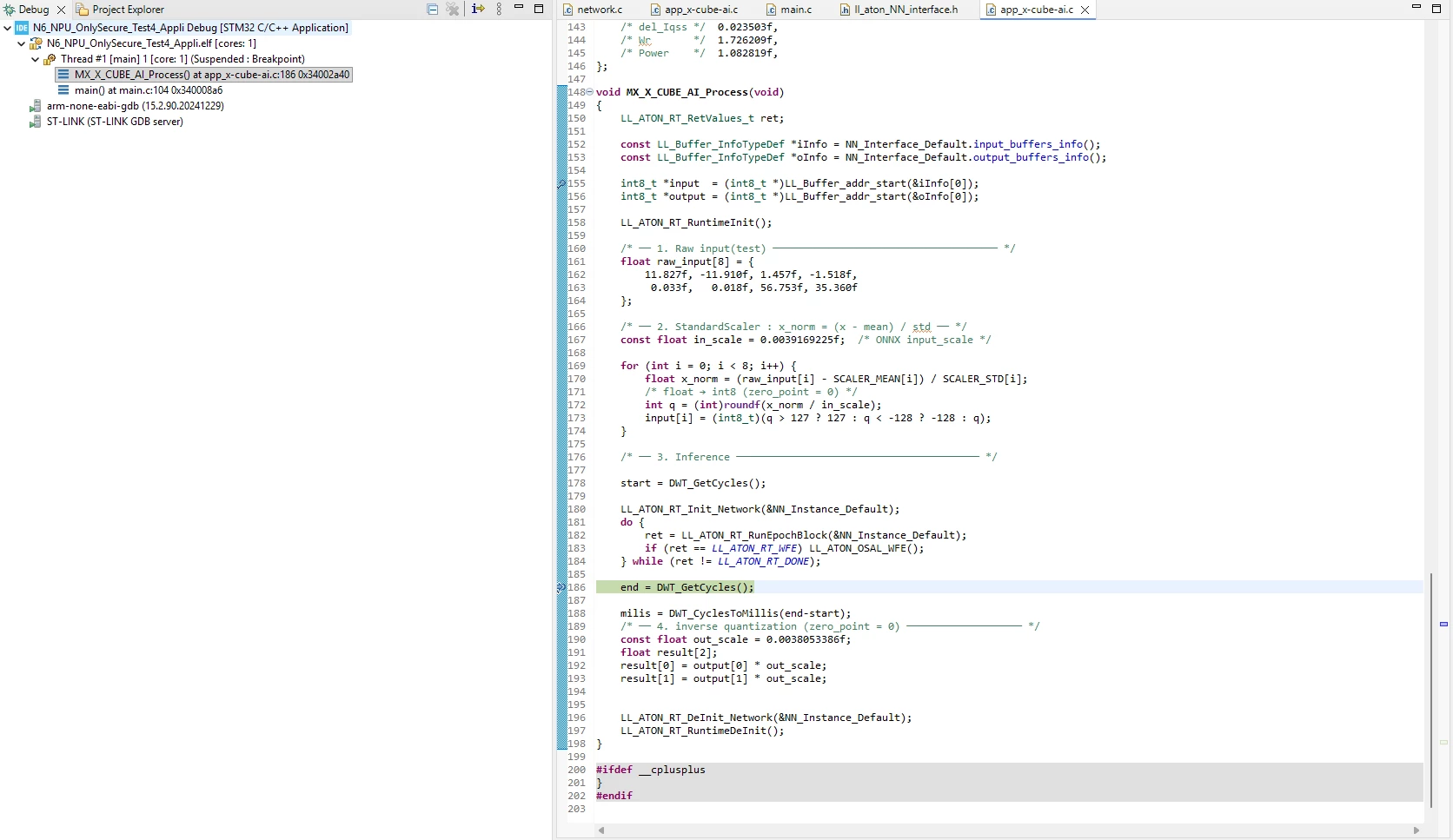
My goal is to test NPU execution using X-CUBE-AI within CubeMX. However, I am stuck in an infinite loop inside the MX_X_CUBE_AI_Process function. Specifically, LL_ATON_RT_RunEpochBlock() continuously returns only the LL_ATON_RT_DONE status, preventing the loop from terminating as expected.


do {

ret = LL_ATON_RT_RunEpochBlock(&NN_Instance_Default);

if (ret == LL_ATON_RT_WFE) LL_ATON_OSAL_WFE();

} while (ret != LL_ATON_RT_DONE);


I Can't get the LL_ATON_RT_DONE, only LL_ATON_RT_WFE.

This issue persists even when using files generated via Cube AI Studio.

I have configured the AXI and Clock settings in CubeMX (CPU: 600MHz, NPU: 800MHz, AXI: 800MHz). Since the model is simple, I am using internal memory only and have not enabled any security (TrustZone) or external memory settings.

Environment Versions:

  • CubeIDE: 2.1.1

  • CubeMX: 6.16.1

  • CubeAI Studio: 1.1.0

  • CubeProgrammer: 2.22.0

  • ST Edge AI: 4.0

  • ST-LINK: V3J17M10

I have attached one of the project files I’ve been testing. It would be a huge help if you could guide me to a solution for this issue.
 
Best answer by hamitiya

Hello @Student_0726,

I don't have any issue doing so with the debugger, with STM32N6570-DK and NUCLEO-N657X0-Q.

image.png


On your side, are you working through the debugger or through loading scripts?

Is your board having correct power supply ? You should have the a green color in led LD4. If it is orange, it means the power is not sufficient.


Best regards,

Yanis

3 replies

hamitiya
hamitiyaAnswer
ST Employee
March 31, 2026

Hello @Student_0726,

I don't have any issue doing so with the debugger, with STM32N6570-DK and NUCLEO-N657X0-Q.

image.png


On your side, are you working through the debugger or through loading scripts?

Is your board having correct power supply ? You should have the a green color in led LD4. If it is orange, it means the power is not sufficient.


Best regards,

Yanis

​In order to give better visibility on the answered topics, please click on 'Accept as Solution' on the reply which solved your issue or answered your question.
Associate II
March 31, 2026

@hamitiya Thank you for the reply.

I checked your feedback and tried running it again—now it passes through correctly!

I was testing in the CubeIDE debug environment, and the LD4 green LED was on as expected.


Honestly, I’m not sure why it’s working now, as I haven't changed any code and the USB connection wasn't unstable before. It’s a bit mysterious why it was consistently failing earlier but works fine now.


I feel a bit bad for taking up your time with this, but I'm just glad it's resolved! Now I can move forward with my experiments with a much lighter heart. Thank you again!

hamitiya
ST Employee
March 31, 2026

Hello @Student_0726 

No problem! Glad it helped!

Feel free to ask again if you have any questions :)


Best regards,

Yanis

​In order to give better visibility on the answered topics, please click on 'Accept as Solution' on the reply which solved your issue or answered your question.
Associate II
April 1, 2026

I’ve discovered a new issue with the test code I posted in my previous question.

To verify the NPU operation, I modified the input values and checked for corresponding changes in the output. However, I noticed that the output values remain unchanged regardless of the input.

I would like to know if I have misconfigured the AI Process structure or if there is an error elsewhere in my setup.

I feel like I'm missing something small, yet I'm still stuck. It’s a bit frustrating.


Kamurasi-Jordan-Arthur
Associate III
May 14, 2026

Hey @Student_0726,

First, I would like to know if you have made any progress on this matter.
Did you find that that was causing this last Issue?

Second, I wonder how you were able to make the AI studio work for you case,
I am curious If you are using the STM32N657 -DK or the Nucleo or a custom-made board, 
For My case I have faced Errors using this tool, 
It either fails at the cube programmer stage.
"Run failed: Error: STM32CubeProgrammer exited with code 1"
Or a during the code building stage at the specifically the USART implicit declaration point. 
alteast as seen from the build console logs.

Lastly kindly check on you RIF security privelege for the NPU, its not set. you may be battling a security Issue.

Looking forward to hearing from you.


Associate II
May 15, 2026

Hi @Kamurasi-Jordan-Arthur ,

Thanks for your interest in this thread, even though it's been a while.

The issue was actually due to a common oversight: I missed calling SCB_CleanInvalidateDCache(); after memcpy.

By the way, the hardware I'm using is a Nucleo board.

So far, Cube AI Studio has been working fine for me without any significant issues.

Could you share the versions of the other programs you are running? You can find the recommended versions under the Settings tab on the left.

Hope this helps.