Pavel A.
Super User
May 12, 2026
Question

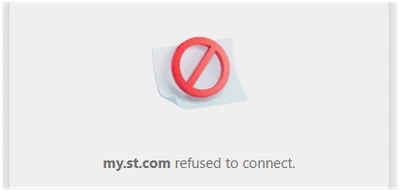
Sidekick refuses to connect - anyone else sees this?

  • May 12, 2026
  • 5 replies
  • 192 views

For two days the Sidekick refuses to open.  Is it anything on my side?

Windows 11, Edge browser. Everything else looks ok.
PavelA_0-1778550022008.png

--- > 

PavelA_0-1778549754514.png


5 replies

AScha.3
Super User
May 12, 2026

I just can tell: it always doesn't work, if session since login is more than 2 hours or so, depends on system/browser also.

Try logout, login, refresh page.

"If you feel a post has answered your question, please click ""Accept as Solution""."
Lina_DABASINSKAITE
Community Manager
May 12, 2026

Thanks for reporting this @Pavel A. Our team is looking into this issue. 

Kind regards,
Lina

​In order to give better visibility on the answered topics, please click on 'Accept as Solution' on the reply which solved your issue or answered your question.
Andrew Neil
Super User
May 12, 2026

Yes, I have seen this.

As @AScha.3 says, try logging-out of the community, then back in.

It seems that the Sidekick session timeout is separate from the Community session timeout, or something ... ?

A complex system that works is invariably found to have evolved from a simple system that worked.A complex system designed from scratch never works and cannot be patched up to make it work.
Pavel A.
Pavel A.Author
Super User
May 22, 2026

Any progress with this?


Andrew Neil
Super User
May 22, 2026

Apparently not:

AndrewNeil_0-1779468256830.png

I think it's always been like this - since first introduced

A complex system that works is invariably found to have evolved from a simple system that worked.A complex system designed from scratch never works and cannot be patched up to make it work.
STOne-32
Technical Moderator
May 22, 2026

Dear @Andrew Neil @Pavel A. @AScha.3 

Thank you for the escalation, is that possible to check if STM32 sidekick has same behavior on this link also 

https://www.st.com/stm32-sidekick  :  this is outside of ST Community and wanted to reproduce with your profile, we are monitoring the case and back to you . Do not hesitate to reach me.

Regards,

STOne-32.


Pavel A.
Pavel A.Author
Super User
May 22, 2026

Hi @STOne-32 

In that link, the sidekick starts successfully - after blinking several times (too fast to read what it shows).

Then I've tried again to open it in the forum view, and it opened successfully too. Is opening it via https://www.st.com/stm32-sidekick  the recommended way?


Visitor II
May 22, 2026

I have seen similar session behavior with tools embedded inside community portals before. The main page can still look logged in, but the embedded tool seems to lose its own auth state and then fails silently or refuses to load.

Testing the direct Sidekick link outside the community sounds like the right next step. It should help confirm whether the issue is with Sidekick itself or with the community login handoff. If it only fails inside the community, clearing site cookies for both the community and ST domain might also be worth trying before logging in again.