
Question
Can't debug with J-LINK in Atollic Truestudio
Posted on June 05, 2018 at 15:59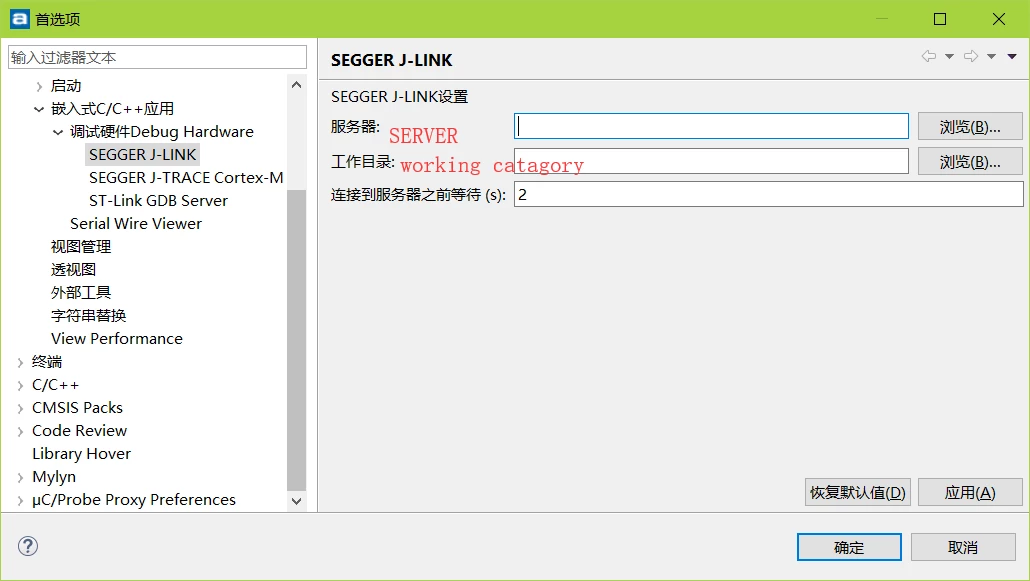 #atollic-turestudio #j-link
hello there
I'm new in Atollic Truestudio and i want to use j-link to debug. The problem is that when i click the DEBUG button, its told me that there is an error with runing GDB service,pleasr check the probe's priority setting. emmmm .That's roughly what it means(i translate the warnning notice form chinese).Then, there is a windows to let me do some configuration.just as the following picture .I have used keil 5 to develop stm32 until now,i had never seen the same setting like this , so could you please help me
solve this problem ? thanks a lot!
#atollic-turestudio #j-link