magene
Senior
October 21, 2020
Solved

CubeMX can't find FATFS solution

  • October 21, 2020
  • 2 replies
  • 2005 views

I'm trying to use STM32CubeMX inside the STM32CubeIDE to configure a Nuleo-413ZH board. I'm not letting CubeMX initialize the peripherals. I"ve got all my peripherals configured. Except, the FATFS table says "No solution" in the "Found Solution" field with "Detect_SDIO" set to "GPIO:Input" (it's the only choce). I've attached the .ioc file and here's a screen snip.

Any ideas how to setup FATFS in this situation will be appreciated.
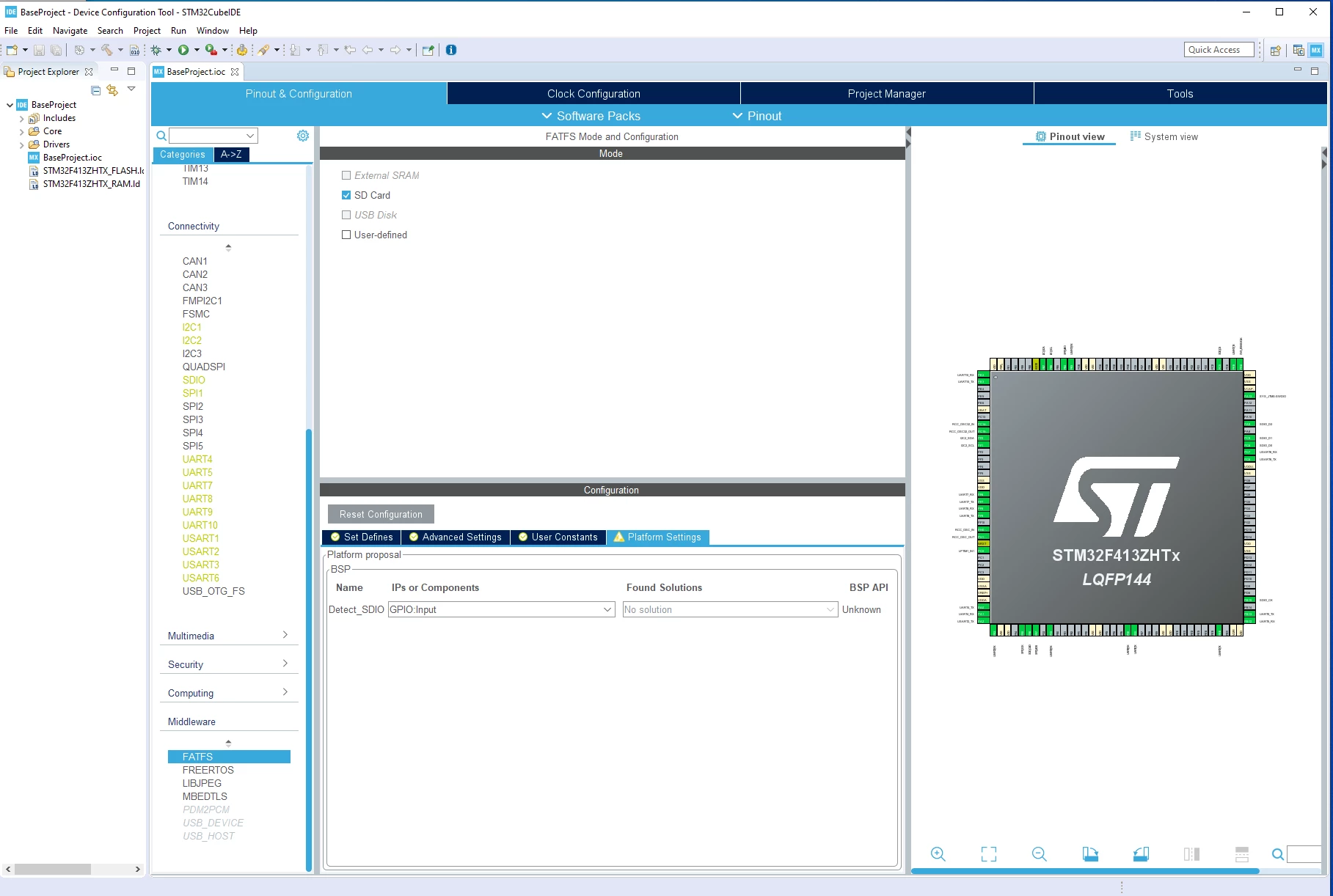
0693W0000058voKQAQ.png 

This topic has been closed for replies.
Best answer by Imen.D

Hello @magene​ ,

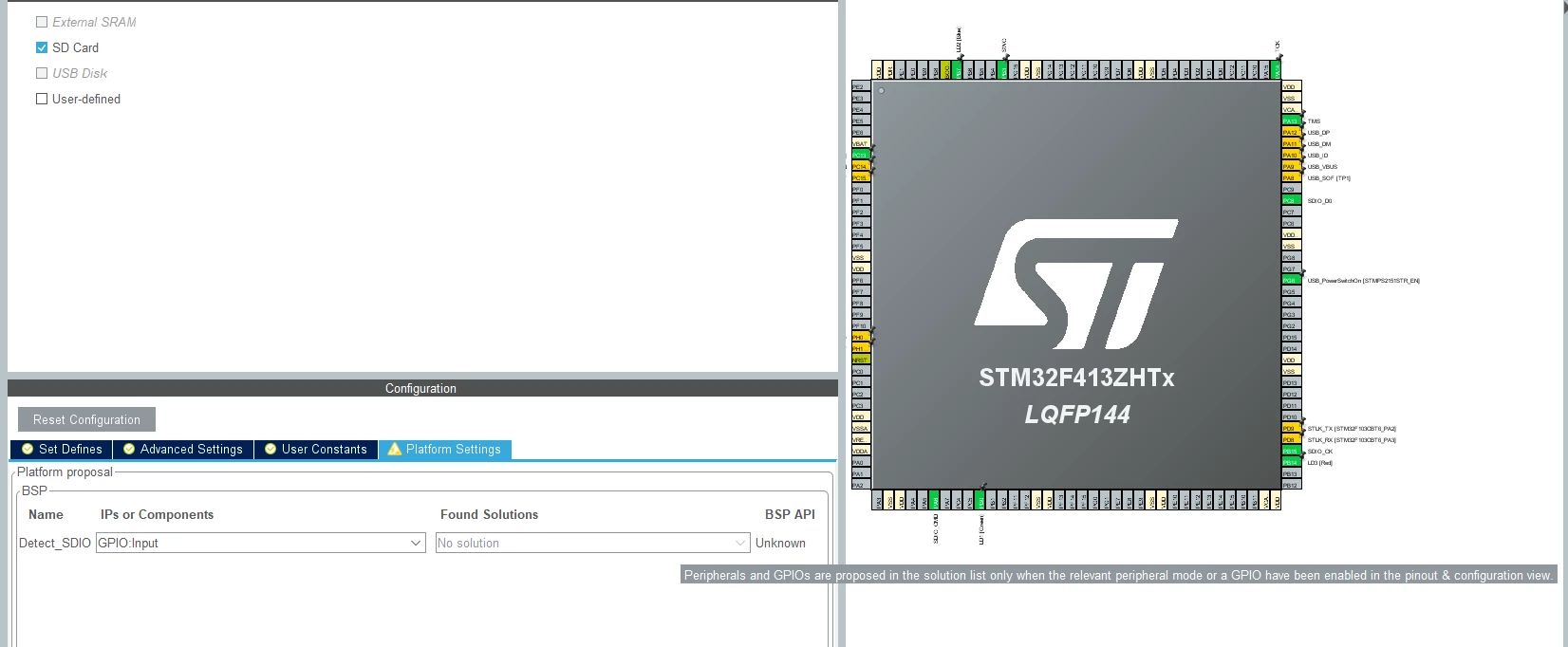
You have to enable the GPIO_input in the Pinout view, then the FATFS solution will appear.

Note: there is a tooltip in CubeMX which guides you on parameters setting, you just move the mouse over the box/part to display the tooltip describing the conflict. (see screenshot below)

0693W0000058wJMQAY.png 

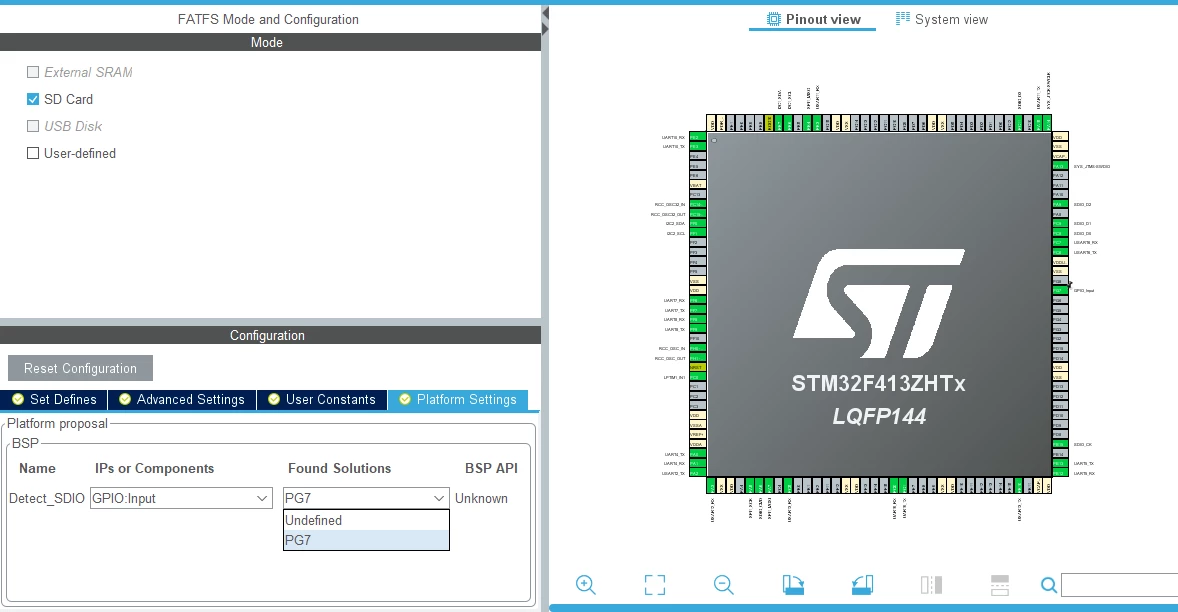
After setting GPIO_input :

0693W0000058wKZQAY.png 

Hope this helps you.

Please select my answer as Best if it fully answered your question.

Imen

2 replies

Imen.DAnswer
Technical Moderator
October 21, 2020

Hello @magene​ ,

You have to enable the GPIO_input in the Pinout view, then the FATFS solution will appear.

Note: there is a tooltip in CubeMX which guides you on parameters setting, you just move the mouse over the box/part to display the tooltip describing the conflict. (see screenshot below)

0693W0000058wJMQAY.png 

After setting GPIO_input :

0693W0000058wKZQAY.png 

Hope this helps you.

Please select my answer as Best if it fully answered your question.

Imen

"When your question is answered, please close this topic by clicking ""Accept as Solution"".ThanksImen"
magene
mageneAuthor
Senior
October 21, 2020

Perfect - Thank you.