Associate II
May 20, 2026
Question

Error converting the sample project

  • May 20, 2026
  • 2 replies
  • 70 views


Hello,
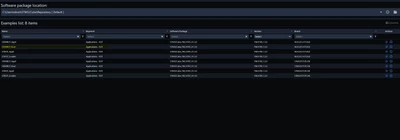
When I try to import the sample project “OEMiROT_Boot”, I get exit code 255.
PaulB_1_0-1779285097278.png


Error:

2026-05-20 15:46:46.511 [Error] [ide-project-convert] ENOENT: no such file or directory, copyfile 'C:\Users\devst\STM32Cube\Repository\STM32Cube_FW_H7RS_V1.3.0\Projects\NUCLEO-H7S3L8\Applications\ROT\OEMiROT_Boot\STM32CubeIDE\utput.ld' -> 'd:\Projekte\Test\test\NUCLEO-H7S3L8_OEMiROT_Boot\utput.ld'
2026-05-20 15:46:46.567 [Error]  [ide-project-convert]: Project conversion failed with exit code: 255.


It must also be possible to convert projects with multiple contexts and multi-core support, This must be made a priority

2 replies

Julien D
ST Employee
May 20, 2026

This error looks strange to me because, unless I am wrong, STM32Cube_FW_H7RS_V1.3.0\Projects\NUCLEO-H7S3L8\Applications\ROT\OEMiROT_Boot\STM32CubeIDE does not exist. I just see 2 readme file in OEMiROT_Boot folder. So I do not understand how it can be listed in the Examples Browser.


It must also be possible to convert projects with multiple contexts and multi-core support, This must be made a priority

It is, we're actively working on it.

To give better visibility on the answered topics, please click on Accept as Solution on the reply which solved your issue or answered your question.
PaulB_1Author
Associate II
May 21, 2026

Yes, I adapted it for this board as described in the readme file, but even when I import the original project for the STM32H7S78-DK, I get the same error message


6-05-21 16:17:13.525 [Info] [ide-project-convert] Generating project into d:/Projekte/Test/Test/STM32H7S78-DK_OEMiROT_Boot
2026-05-21 16:17:13.529 [Info] [ide-project-convert] Generated toolchain file C:/Users/devst/AppData/Local/stm32cube/bundles/ide-project-converter/1.1.0/bin/templates/gcc-arm-none-eabi.cmake
2026-05-21 16:17:13.912 [Info] [ide-project-convert] Partially copied C:/Users/devst/STM32Cube/Repository/STM32Cube_FW_H7RS_V1.3.0/Drivers to d:/Projekte/Test/Test/STM32H7S78-DK_OEMiROT_Boot/Drivers
2026-05-21 16:17:14.678 [Info] [ide-project-convert] Partially copied C:/Users/devst/STM32Cube/Repository/STM32Cube_FW_H7RS_V1.3.0/Middlewares to d:/Projekte/Test/Test/STM32H7S78-DK_OEMiROT_Boot/Middlewares
2026-05-21 16:17:14.679 [Error] [ide-project-convert] ENOENT: no such file or directory, copyfile 'C:\Users\devst\STM32Cube\Repository\STM32Cube_FW_H7RS_V1.3.0\Projects\STM32H7S78-DK\Applications\ROT\OEMiROT_Boot\STM32CubeIDE\utput.ld' -> 'd:\Projekte\Test\Test\STM32H7S78-DK_OEMiROT_Boot\utput.ld'
2026-05-21 16:17:14.717 [Error]  [ide-project-convert]: Project conversion failed with exit code: 255.
Julien D
ST Employee
May 22, 2026

The issue with this project is that the linker script (output.ld) is generated during a prebuild step in STM32CubeIDE.

Reason why the converter fails for the moment.

Let me check if a workaround can be applied waiting for a real support.

To give better visibility on the answered topics, please click on Accept as Solution on the reply which solved your issue or answered your question.
Julien D
ST Employee
May 22, 2026

I managed to get the project generated by edit the intermediate stm32cubeide-export.json file and removing the 2 linker script lines:

"option.script": "-T\"./output.ld\""
and
"-T\"./output.ld\"",

Then invoke the converter manually from the VS Code terminal:

cube ide-project-convert --bypass-converter ./stm32cubeide-export.json --format cmake --destination ./cmake --source-format stm32cubeide --keep-original-json

(to adapt with your paths)

However to get the project building you have to insert a pre build cmake target to generate this missing output.ld file, and move the 2 CONFIG_FILE symbols from CMakePresets.json to CMakeLists.txt:

# Compiler options
target_compile_options(${BUILD_UNIT_0_NAME} PRIVATE
 -DMCUBOOT_TARGET_CONFIG=<flash_layout.h>
 -DMBEDTLS_CONFIG_FILE=<mbedtls_config.h>
)


# Template for CubeIDE-style pre-build steps.
# Use generated-file outputs plus a dedicated custom target so the step works
# with Ninja and other single-config generators.
set(PREBUILD_OUTPUT_LD "${CMAKE_CURRENT_BINARY_DIR}/output.ld")
set(PREBUILD_OUTPUT_IMAGE_MACROS
 "${CMAKE_CURRENT_BINARY_DIR}/image_macros_preprocessed_bl2.c"
)

add_custom_command(
 OUTPUT
 ${PREBUILD_OUTPUT_LD}
 ${PREBUILD_OUTPUT_IMAGE_MACROS}
 COMMAND ${CMAKE_C_COMPILER}
 -E -P -xc
 -DBL2
 -I${CMAKE_CURRENT_SOURCE_DIR}/Inc
 -o ${PREBUILD_OUTPUT_LD}
 ${CMAKE_CURRENT_SOURCE_DIR}/stm32h7rsxx_bl2.ld
 COMMAND ${CMAKE_C_COMPILER}
 -E -P -xc
 -DBL2
 -DSTM32H7S7xx
 -I${CMAKE_CURRENT_SOURCE_DIR}/Inc
 -I${CMAKE_CURRENT_SOURCE_DIR}/Drivers/STM32H7RSxx_HAL_Driver/Inc
 -I${CMAKE_CURRENT_SOURCE_DIR}/Drivers/CMSIS/Device/ST/STM32H7RSxx/Include
 -I${CMAKE_CURRENT_SOURCE_DIR}/Drivers/CMSIS/Core/Include
 -o ${PREBUILD_OUTPUT_IMAGE_MACROS}
 ${CMAKE_CURRENT_SOURCE_DIR}/Src/image_macros_to_preprocess_bl2.c
 DEPENDS
 ${CMAKE_CURRENT_SOURCE_DIR}/stm32h7rsxx_bl2.ld
 ${CMAKE_CURRENT_SOURCE_DIR}/Src/image_macros_to_preprocess_bl2.c
 WORKING_DIRECTORY ${CMAKE_CURRENT_SOURCE_DIR}
 COMMENT "Running pre-build code generation"
 VERBATIM
)

add_custom_target(${BUILD_UNIT_0_NAME}_prebuild
 DEPENDS
 ${PREBUILD_OUTPUT_LD}
 ${PREBUILD_OUTPUT_IMAGE_MACROS}
)

add_dependencies(${BUILD_UNIT_0_NAME} ${BUILD_UNIT_0_NAME}_prebuild)

And define back the missing linker script:

# Linker options
target_link_options(${BUILD_UNIT_0_NAME} PRIVATE 
 # User defined linker options
 -T ${CMAKE_CURRENT_BINARY_DIR}/output.ld
)

 At this stage the project should build fine.


Then comes the trickiest part... This example comes with a post build step: postbuild.sh. It has a lot of hardcoded paths to original example location. Copying and invoking it is quite easy, adapting it is another story.

In vscode_generated.cmake:

if(CMAKE_BUILD_TYPE STREQUAL "Release")
 add_custom_command(
 TARGET ${BUILD_UNIT_0_NAME}
 POST_BUILD
 COMMAND arm-none-eabi-objcopy -O binary "${BUILD_UNIT_0_NAME}${CMAKE_EXECUTABLE_SUFFIX_C}" "STM32H7S78-DK_OEMiROT_Boot.bin"
 WORKING_DIRECTORY ${CMAKE_CURRENT_BINARY_DIR}
 )
 add_custom_command(
 TARGET ${BUILD_UNIT_0_NAME}
 POST_BUILD
 COMMAND ../../postbuild.sh Release
 WORKING_DIRECTORY ${CMAKE_CURRENT_BINARY_DIR}
 )
endif()

 can be moved also to main CMakeLists.txt.

To give better visibility on the answered topics, please click on Accept as Solution on the reply which solved your issue or answered your question.