
ATirl
Associate II
September 11, 2018
Question

CubeMX PCC doesn't allow me to set clock, reason ?

  • September 11, 2018
  • 3 replies
  • 1937 views

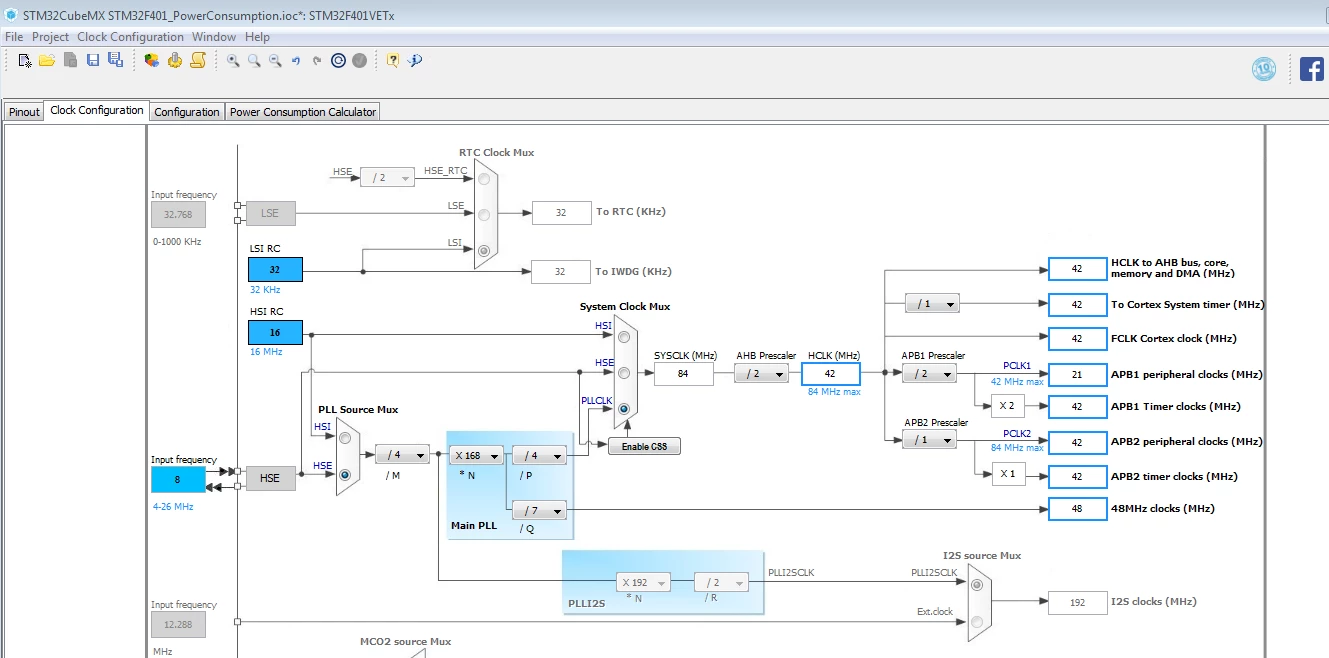
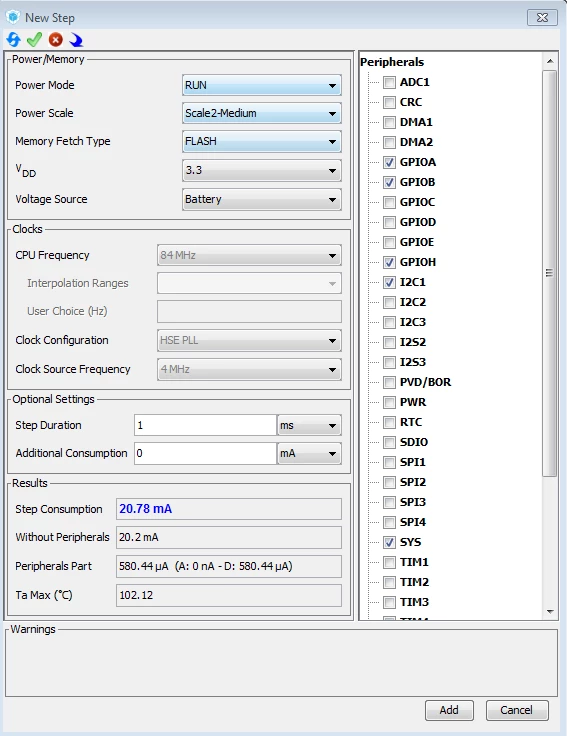
Below images show a PCC step configuration window and my clock tree configuration. As seen i can not change info under clock tab of PCC. Anybody know the reason ?
0690X000006C0RJQA0.png0690X000006C0REQA0.png

This topic has been closed for replies.

3 replies

Amel NASRI
Technical Moderator
October 8, 2018

Hello,

Please note that if you select "Scale3-Low", you will be able to enter the value of the frequency in "User Choice" field. In this case, you need to select first "User-defined" as CPU Frequency.

-Amel

To give better visibility on the answered topics, please click on Accept as Solution on the reply which solved your issue or answered your question.
ATirl
ATirlAuthor
Associate II
October 9, 2018

Hello Amel,

Thanks for your time ! In the case i select "Scale3-Low", CPU freq is selectable but i still cannot specify Clock Source frequency. It is fixed to 4 MHz. Doesn't Clock Source frequency affect power consumption ? I plan to use 20 MHz crystal by the way.

Nawres GHARBI
Technical Moderator
October 25, 2018

Hi,

The PCC clock is independent form your project configuration.

We are working on synchronizing this tool and it will be available in a next release with all clock configurations