May 20, 2022
Solved

[BUG?] Why is the IDE 1.9.0 preventing HEX file selection instead of ELF?

  • May 20, 2022
  • 2 replies
  • 1915 views

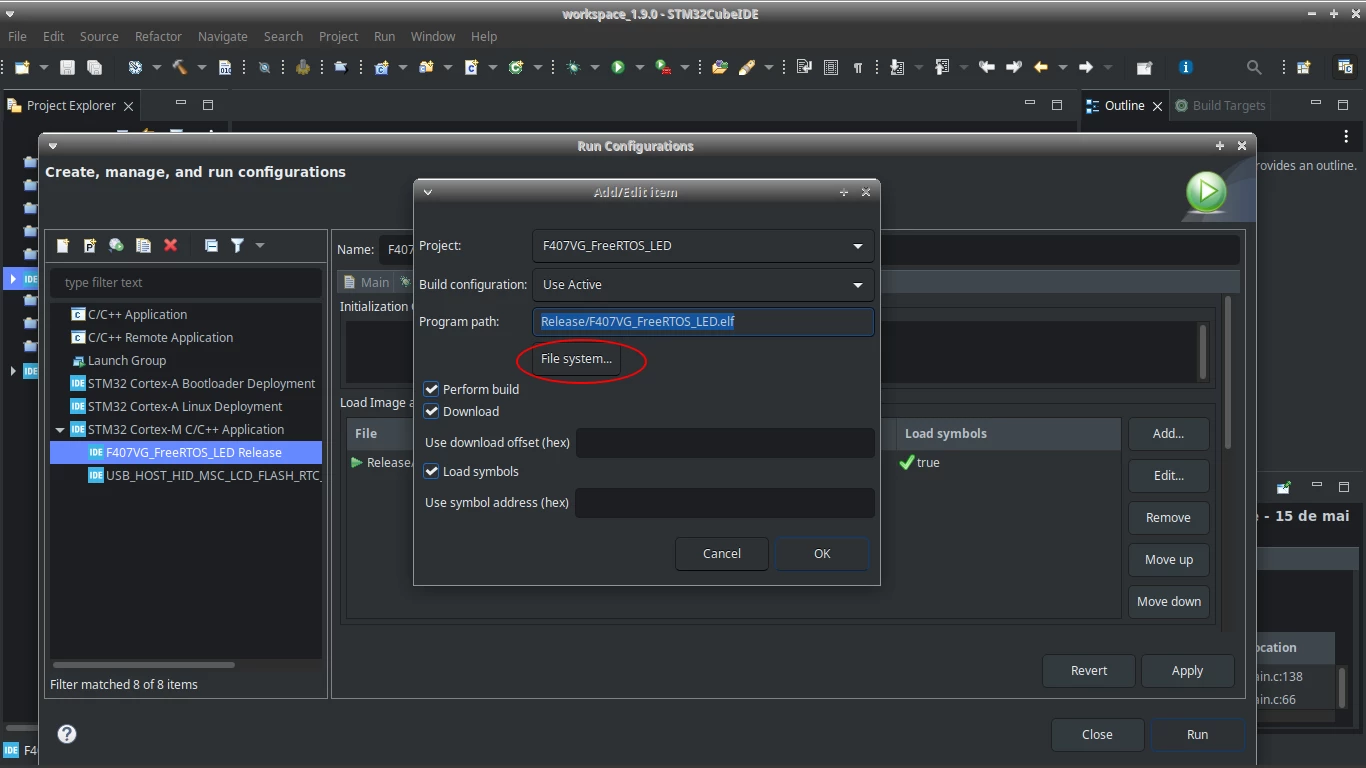
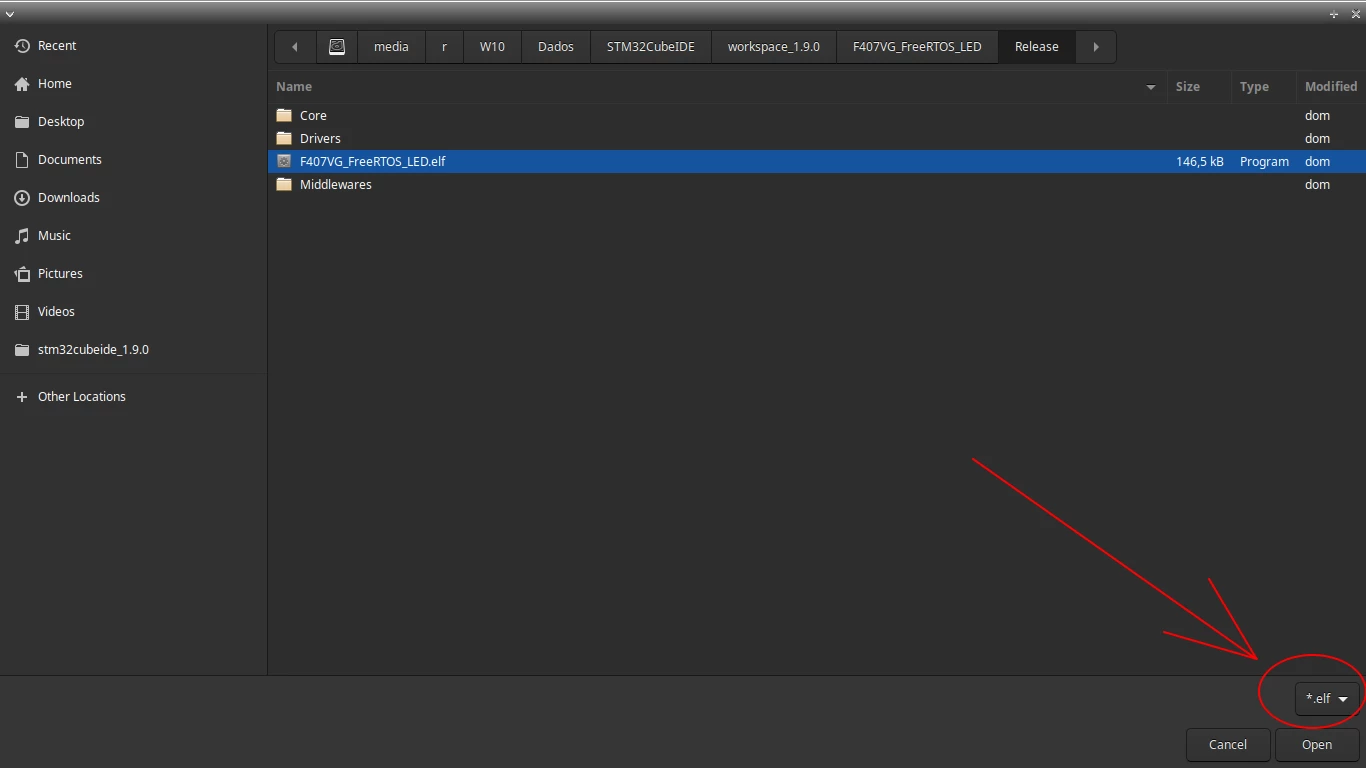
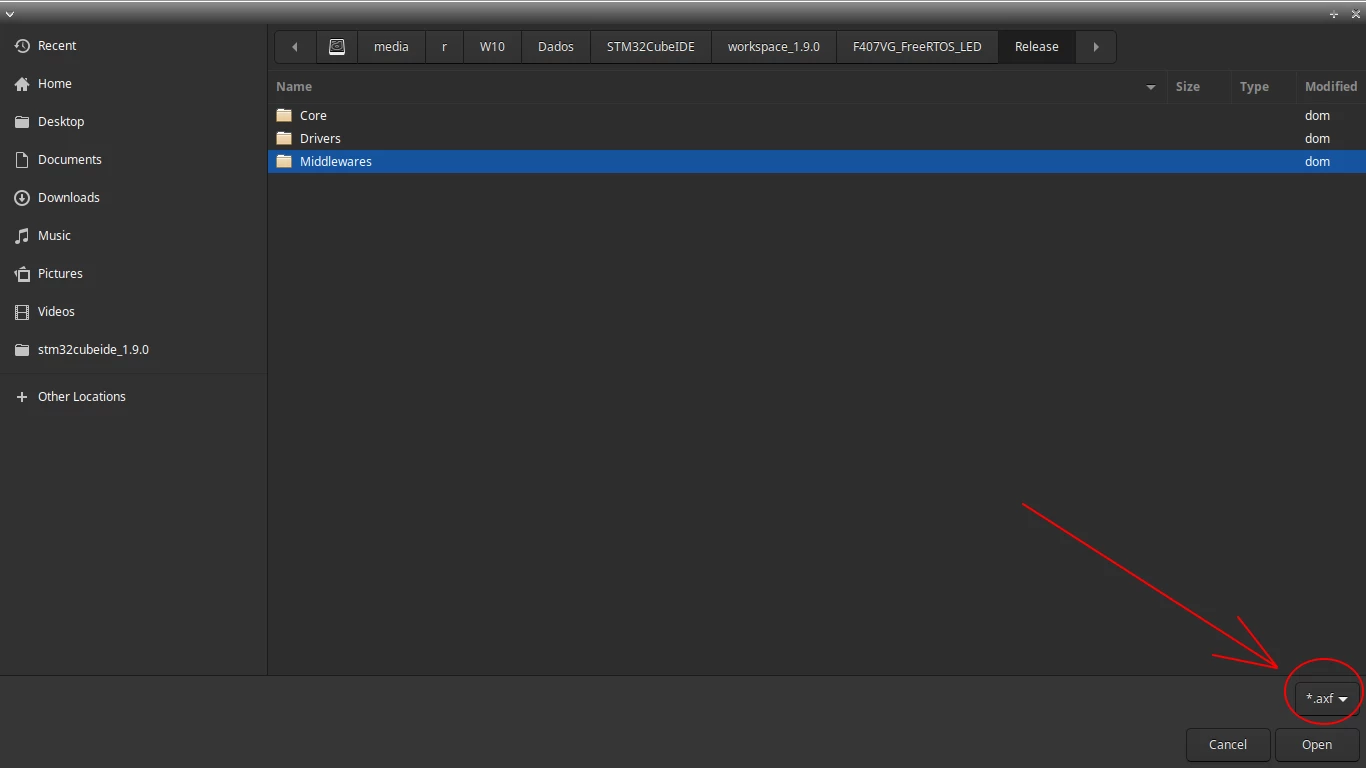
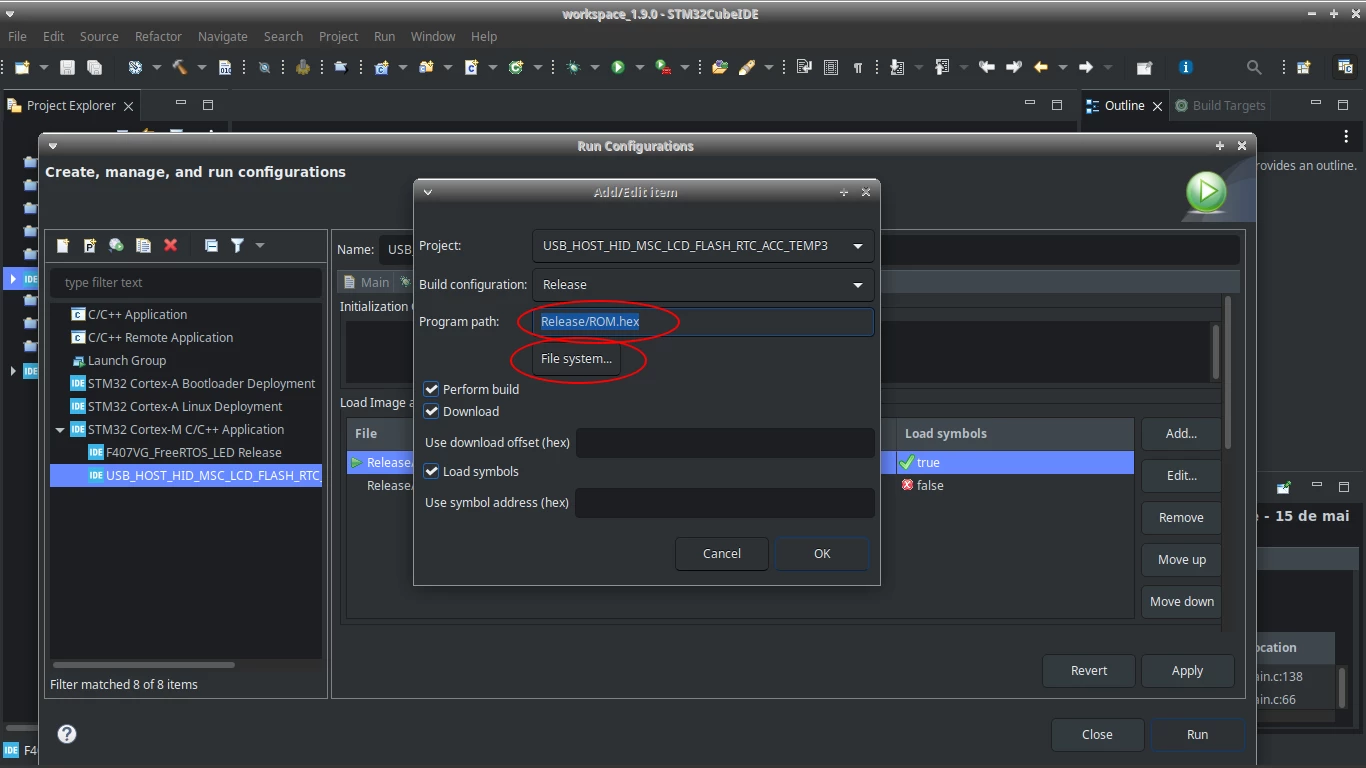
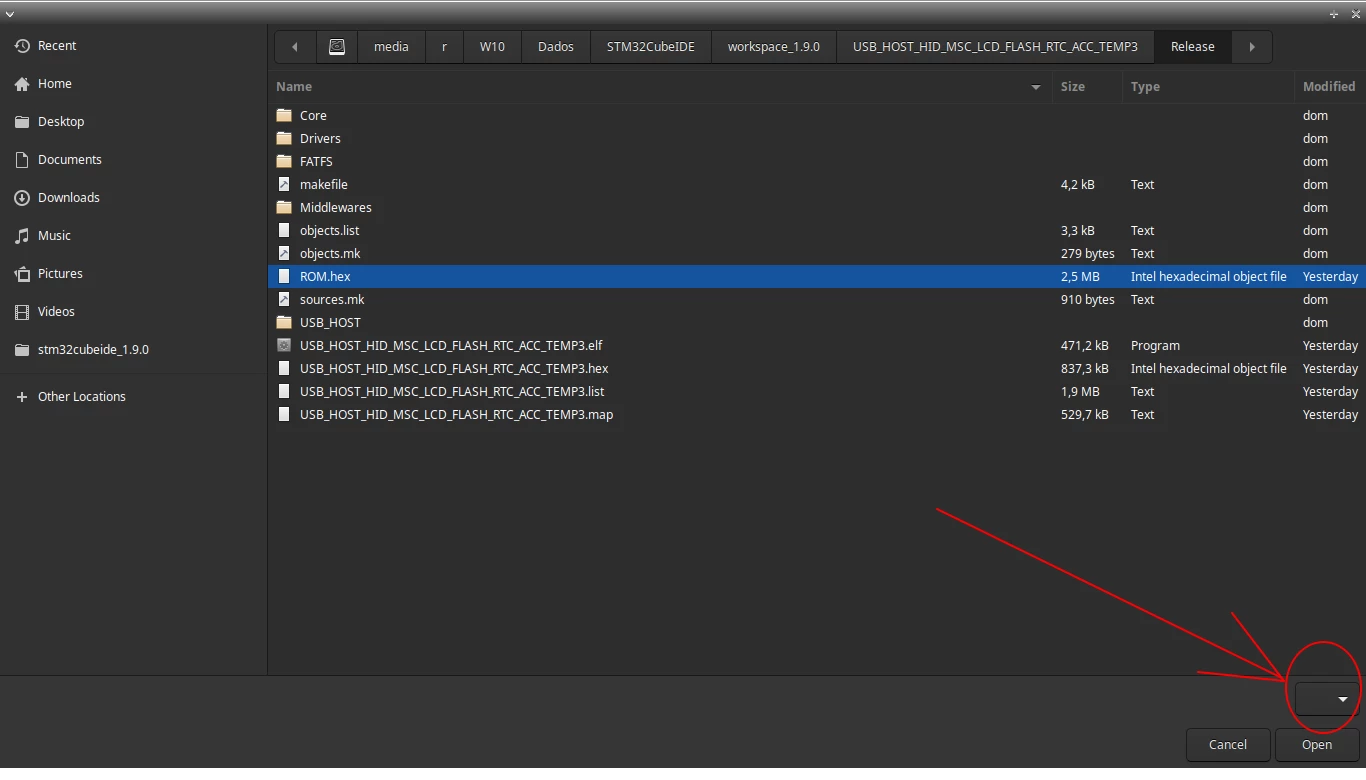
I need to write the HEX file, but the new IDE 1.9.0 won't let me select the HEX file.

How can I edit this configuration without help from the IDE?

Where is this configuration stored? The old project did not have this problem.

The HEX file is generated after compilation to add the CRC value, so I need the IDE to allow the HEX file as well.
0693W00000NqK8QQAV.png 

0693W00000NqK8kQAF.png 

0693W00000NqK8uQAF.png 

0693W00000NqK99QAF.png 

0693W00000NqK9EQAV.png 

Reference on generating the file with CRC:

https://community.st.com/s/question/0D50X0000CAsLXASQ3/how-to-use-halcrcaccumulate-bufferlength-does-not-accept-the-entire-flash-volume

https://github.com/ethanhuanginst/STM32CubeIDE-Workshop-2019/issues/4
This topic has been closed for replies.
Best answer by

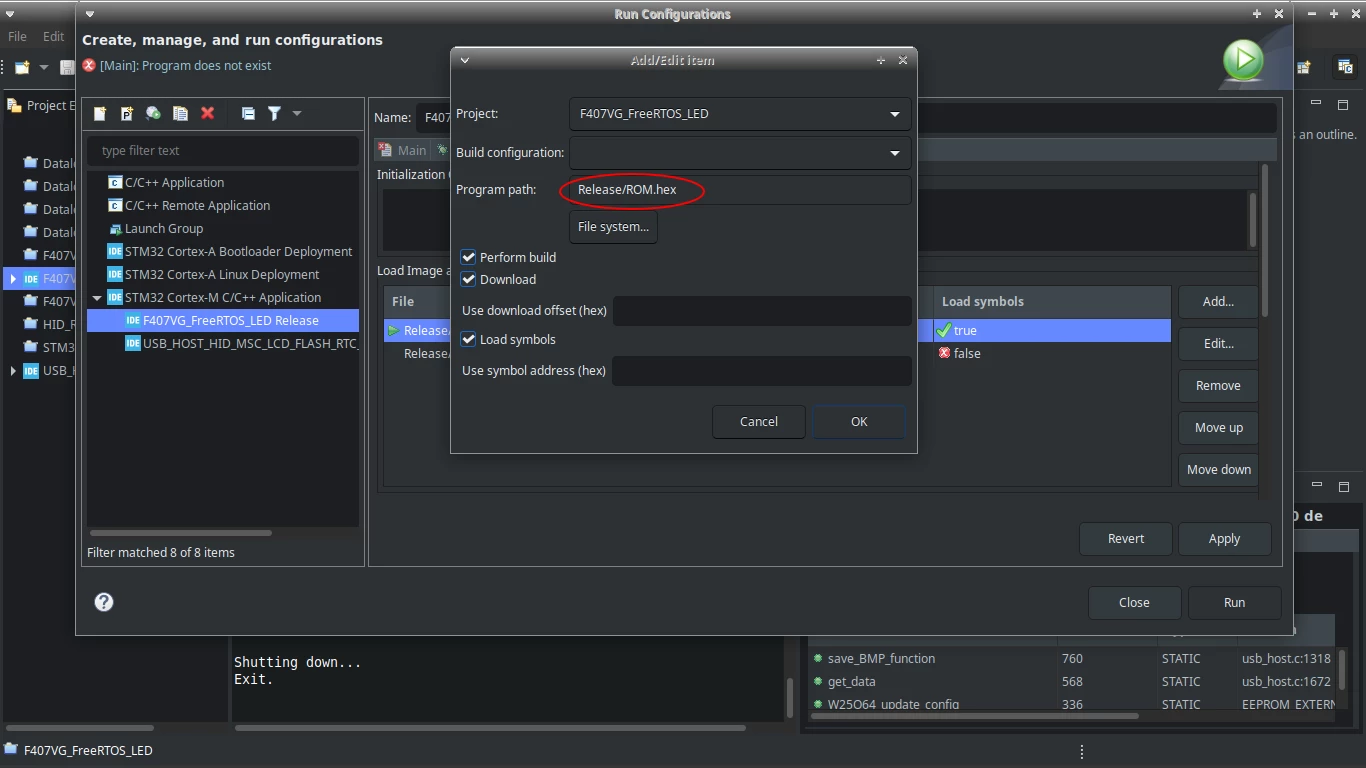
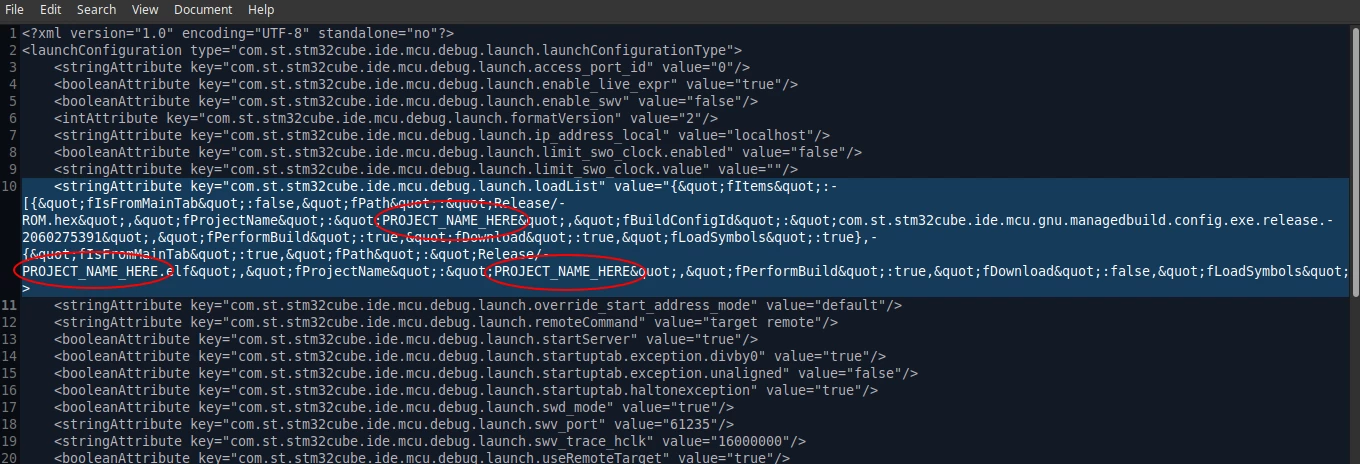
I already got it, I closed the project, made a copy of the file, I edited the file "F407VG_FreeRTOS_LED Release.launch" from the project folder using the key of the old project file.

I just had to change the file name "PROJECT_NAME_HERE" to "F407VG_FreeRTOS_LED" (without quotes)

 <stringAttribute key="com.st.stm32cube.ide.mcu.debug.launch.loadList" value="{"fItems":[{"fIsFromMainTab":false,"fPath":"Release/ROM.hex","fProjectName":"PROJECT_NAME_HERE","fBuildConfigId":"com.st.stm32cube.ide.mcu.gnu.managedbuild.config.exe.release.2060275391","fPerformBuild":true,"fDownload":true,"fLoadSymbols":true},{"fIsFromMainTab":true,"fPath":"Release/PROJECT_NAME_HERE.elf","fProjectName":"PROJECT_NAME_HERE","fPerformBuild":true,"fDownload":false,"fLoadSymbols":false}]}"/>

0693W00000NqKNVQA3.png0693W00000NqKOTQA3.png 

Then just open the project again.

2 replies

Answer
May 20, 2022

I already got it, I closed the project, made a copy of the file, I edited the file "F407VG_FreeRTOS_LED Release.launch" from the project folder using the key of the old project file.

I just had to change the file name "PROJECT_NAME_HERE" to "F407VG_FreeRTOS_LED" (without quotes)

 <stringAttribute key="com.st.stm32cube.ide.mcu.debug.launch.loadList" value="{"fItems":[{"fIsFromMainTab":false,"fPath":"Release/ROM.hex","fProjectName":"PROJECT_NAME_HERE","fBuildConfigId":"com.st.stm32cube.ide.mcu.gnu.managedbuild.config.exe.release.2060275391","fPerformBuild":true,"fDownload":true,"fLoadSymbols":true},{"fIsFromMainTab":true,"fPath":"Release/PROJECT_NAME_HERE.elf","fProjectName":"PROJECT_NAME_HERE","fPerformBuild":true,"fDownload":false,"fLoadSymbols":false}]}"/>

0693W00000NqKNVQA3.png0693W00000NqKOTQA3.png 

Then just open the project again.

May 20, 2022

I found this key using the command from the link below:

grep -rnw '/path/to/somewhere/' -e 'pattern'

https://stackoverflow.com/questions/16956810/how-do-i-find-all-files-containing-specific-text-on-linux