
Solved
Cube IDE code generator
Hello!
I have 2 projects for two different controllers: one is the STM32F767 and the second one is the STM32H753.
I'm using the Cube IDE 1.3.1.
I have noticed , that when I generate a code, the the file structure looks different for both of them even when I try to ise exactly the same drivers.
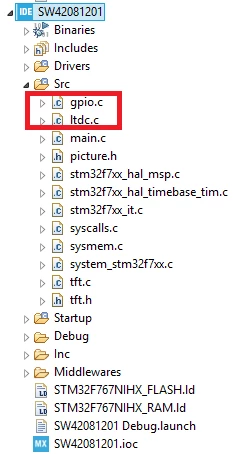
For example when I use GPIO and LTDC, the for the STM32F767 I get such a structure (looks better for me):
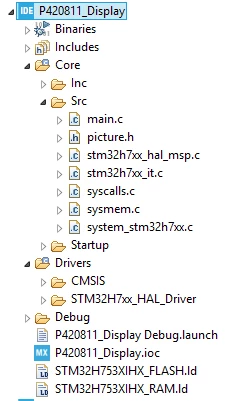
And when I generate the code for the STMH753 then I get such a structure and the initialization functions are directly in the main (not optimal for bigger projects):
My question: How to change the automatic code generator to use the same way of working like for the STM32F767 (modular code)?
Regards,
Gregor