qua
Associate III
June 21, 2022
Solved

CubeIDE hides errors in the console window

  • June 21, 2022
  • 5 replies
  • 5347 views

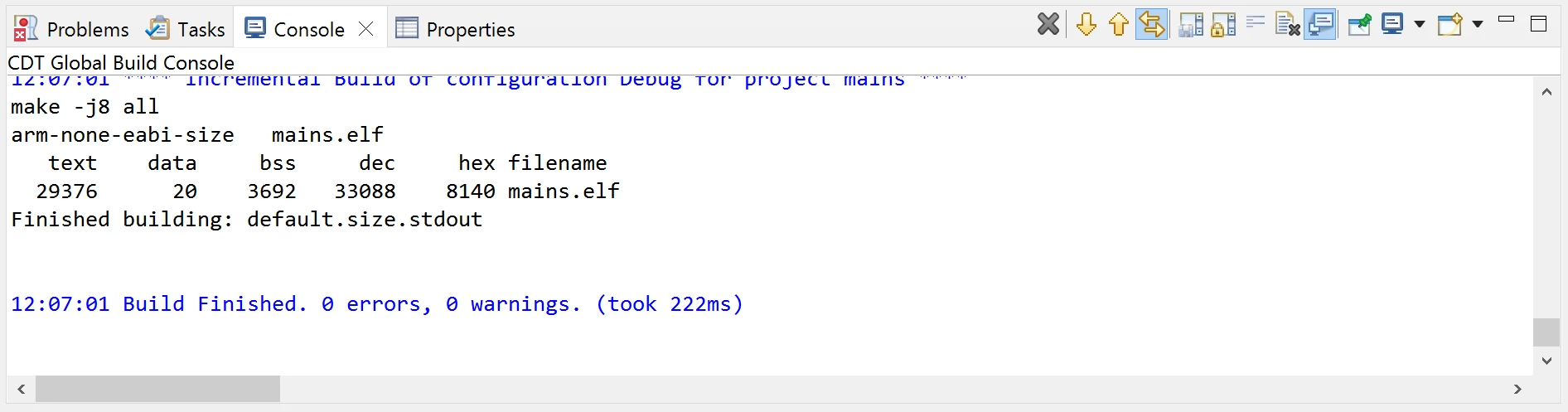
When I do a build in STM32CubeIDE 1.9.0 the console window looks like this:
0693W00000NsMjrQAF.png 

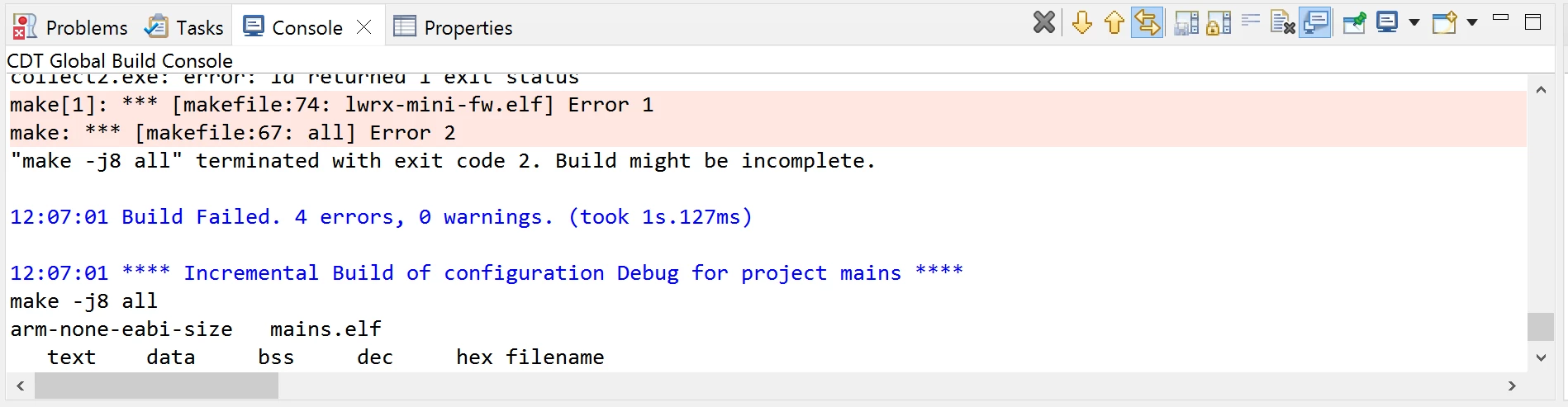
But if you scroll up a bit...

0693W00000NsMk6QAF.pngYou can see that the build actually failed. Those errors are real.

I could make the window a bit taller I suppose, but shouldn't it stop building when there is an error, and at least show the error and warning count on the very last line?

STM32CubeIDE

Version: 1.9.0

Build: 12015_20220302_0855 (UTC)

OS: Windows 8.1, v.6.3, x86_64 / win32

Java vendor: AdoptOpenJDK

Java runtime version: 11.0.11+9

Java version: 11.0.11

This topic has been closed for replies.
Best answer by Bob S

You are building multiple projects. That "Build finished" line is only for that project. The build probably does stop building the project with the error, but (obviously) continues with the other projects. Yeah it would be nice if there weer a "grand summary" status at the bottom of the console window. But, if you click on the "Problems" tab you should see any errors listed there from all the projects.

5 replies

Andrew Neil
Super User
June 21, 2022

How did you start the build? Were you building multiple configurations, or something...?

Perhaps copy & paste the entire output - so people can see the whole story?

A complex system that works is invariably found to have evolved from a simple system that worked.A complex system designed from scratch never works and cannot be patched up to make it work.
qua
quaAuthor
Associate III
June 21, 2022

I pressed CTRL+B to start the build.

The rest of it is unimportant, but I created a sample for you:

14:49:29 **** Incremental Build of configuration Debug for project lwrx-mini-fw ****
make -j8 all 
..\touch.cmd
 
arm-none-eabi-gcc "../src/main.c" -mcpu=cortex-m4 -std=gnu11 -g3 -DDEBUG -DUSE_HAL_DRIVER -DSTM32F446xx -c -I../Core/Inc -I../Drivers/STM32F4xx_HAL_Driver/Inc -I../Drivers/STM32F4xx_HAL_Driver/Inc/Legacy -I../Drivers/CMSIS/Device/ST/STM32F4xx/Include -I../Drivers/CMSIS/Include -I../src -I../Middlewares/Third_Party/FreeRTOS/Source/include -I../Middlewares/Third_Party/FreeRTOS/Source/CMSIS_RTOS_V2 -I../Middlewares/Third_Party/FreeRTOS/Source/portable/GCC/ARM_CM4F -I../FATFS/Target -I../FATFS/App -I../Middlewares/Third_Party/FatFs/src -O0 -ffunction-sections -fdata-sections -Wall -fstack-usage -MMD -MP -MF"src/main.d" -MT"src/main.o" --specs=nano.specs -mfpu=fpv4-sp-d16 -mfloat-abi=hard -mthumb -o "src/main.o"
arm-none-eabi-gcc "../src/version.c" -mcpu=cortex-m4 -std=gnu11 -g3 -DDEBUG -DUSE_HAL_DRIVER -DSTM32F446xx -c -I../Core/Inc -I../Drivers/STM32F4xx_HAL_Driver/Inc -I../Drivers/STM32F4xx_HAL_Driver/Inc/Legacy -I../Drivers/CMSIS/Device/ST/STM32F4xx/Include -I../Drivers/CMSIS/Include -I../src -I../Middlewares/Third_Party/FreeRTOS/Source/include -I../Middlewares/Third_Party/FreeRTOS/Source/CMSIS_RTOS_V2 -I../Middlewares/Third_Party/FreeRTOS/Source/portable/GCC/ARM_CM4F -I../FATFS/Target -I../FATFS/App -I../Middlewares/Third_Party/FatFs/src -O0 -ffunction-sections -fdata-sections -Wall -fstack-usage -MMD -MP -MF"src/version.d" -MT"src/version.o" --specs=nano.specs -mfpu=fpv4-sp-d16 -mfloat-abi=hard -mthumb -o "src/version.o"
../src/main.c:94:13: error: expected ';' before 'void'
 94 | fvjdkfnvkjdf
 | ^
 | ;
 95 | void vApplicationStackOverflowHook(xTaskHandle *pxTask, signed char *pcTaskName )
 | ~~~~ 
make[1]: *** [src/subdir.mk:55: src/main.o] Error 1
make: *** [makefile:67: all] Error 2
"make -j8 all" terminated with exit code 2. Build might be incomplete.
 
14:49:30 Build Failed. 3 errors, 0 warnings. (took 877ms)
 
14:49:30 **** Incremental Build of configuration Debug for project mains ****
make -j8 all 
arm-none-eabi-size mains.elf 
 text	 data	 bss	 dec	 hex	filename
 29376	 20	 3692	 33088	 8140	mains.elf
Finished building: default.size.stdout
 
 
14:49:30 Build Finished. 0 errors, 0 warnings. (took 226ms)

(I deliberately created that error)

Bob S
Bob SAnswer
Super User
June 21, 2022

You are building multiple projects. That "Build finished" line is only for that project. The build probably does stop building the project with the error, but (obviously) continues with the other projects. Yeah it would be nice if there weer a "grand summary" status at the bottom of the console window. But, if you click on the "Problems" tab you should see any errors listed there from all the projects.

qua
quaAuthor
Associate III
June 21, 2022

Thanks. Man, I hate Eclipse.

Markus GIRDLAND
ST Employee
June 22, 2022

Just to add to the great information already provided, Ctrl + B is the binding for "Build All". This means that you would either need to right click your project and select "Close Unrelated Projects" to only have one open project or if you prefer to have multiple projects open but still use Ctrl + B then you can change the binding in "Window -> Preferences -> General -> Keys" to fit your purpose.

Andrew Neil
Super User
June 22, 2022

I always prefer to just right-click the required project, and choose 'Build' - then I always know exactly what it's going to build! :beaming_face_with_smiling_eyes:

A complex system that works is invariably found to have evolved from a simple system that worked.A complex system designed from scratch never works and cannot be patched up to make it work.