
Debugger unable to start in STM32CUBE IDE throws the Error 193 ?
Hello all STM32 Lovers,
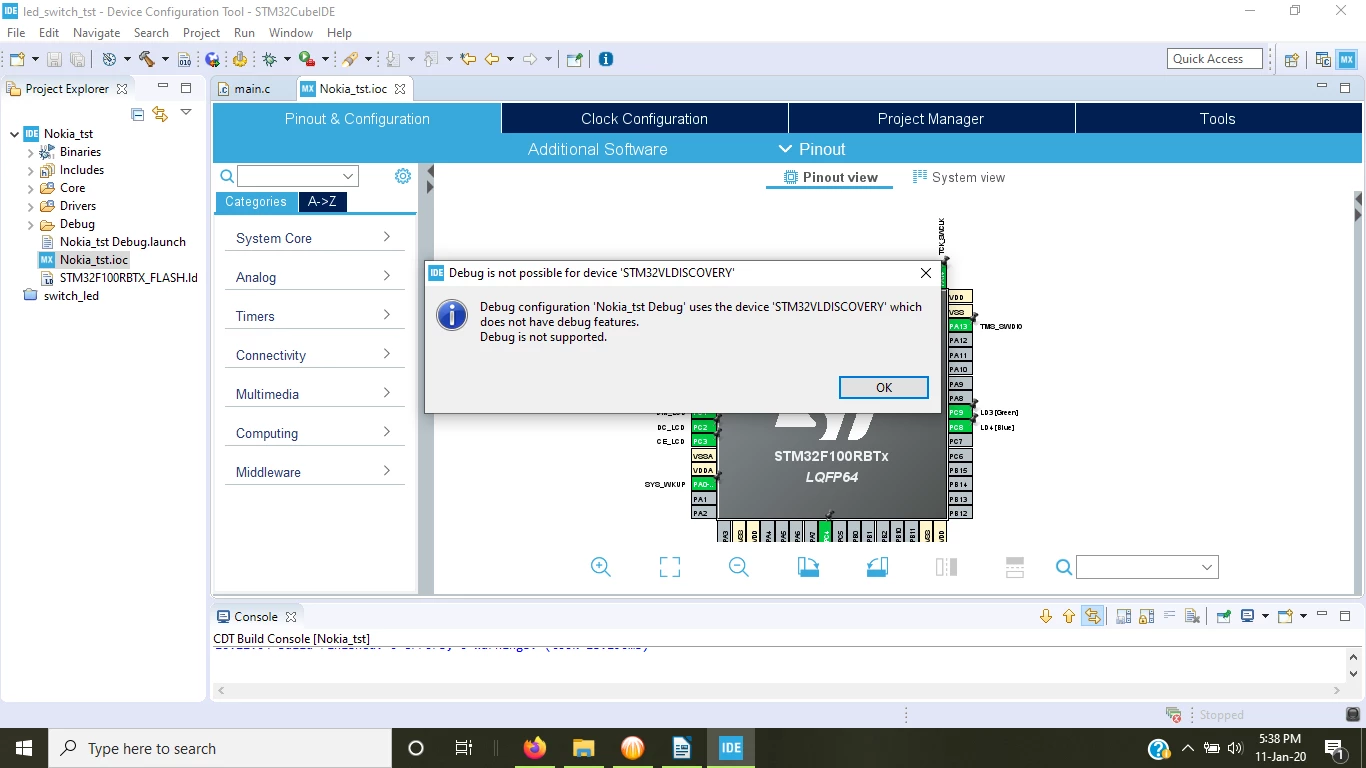
I am developing a project in STM32CUBE IDE 1.2.0 for my old STM32VL Discovery Board(STM32F100RBTX) that is connected to the old Nokia LCD everything is working perfectly fine (code generation, compiling, building) but I don't know why debugger is not started.
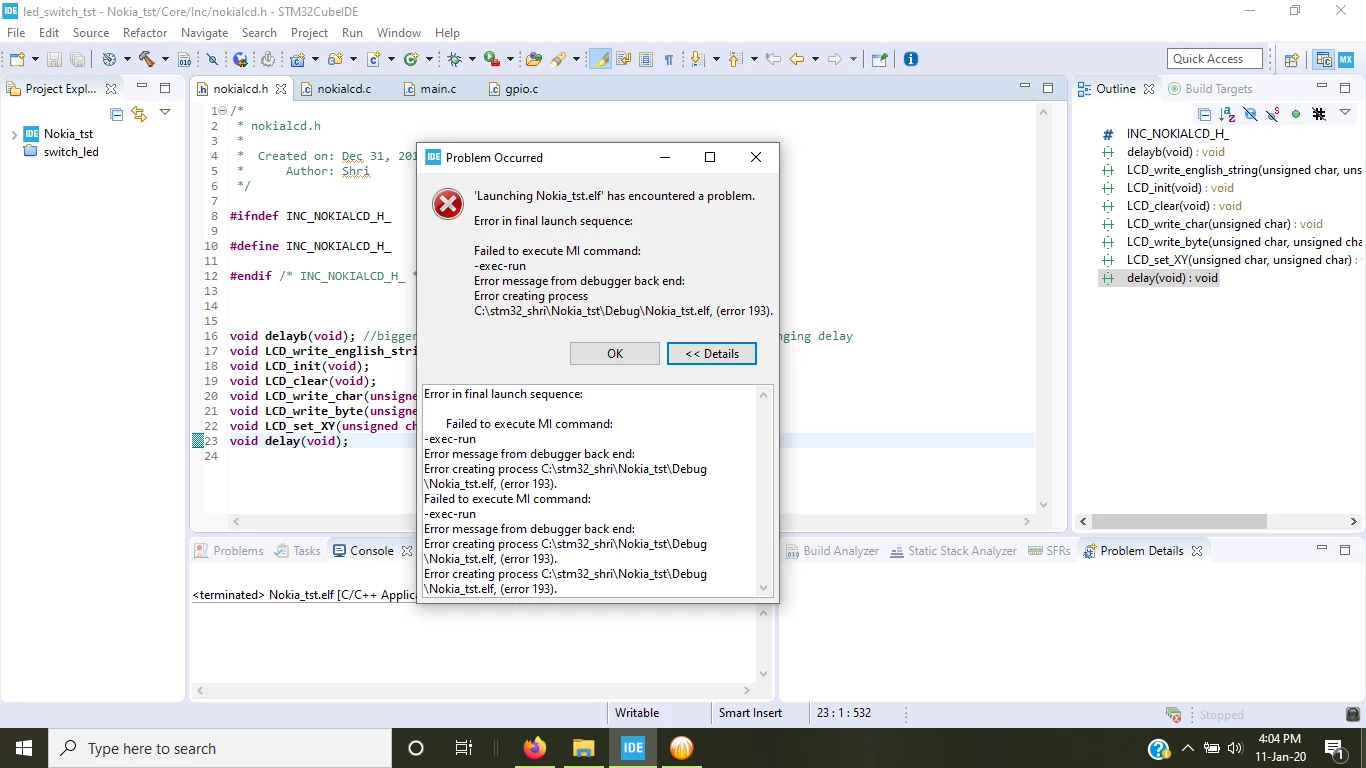
Whenever I try to debug the project than it throws me an Error 193:
Error in final launch sequence:
Failed to execute MI command:
-exec-run
Error message from debugger back end:
Error creating process C:\stm32_shri\Nokia_tst\Debug\Nokia_tst.elf, (error 193).
Failed to execute MI command:
-exec-run
Error message from debugger back end:
Error creating process C:\stm32_shri\Nokia_tst\Debug\Nokia_tst.elf, (error 193).
I am attaching the complete project as well as the image please suggest me what should i do?
I am using Windows10 OS.
Thanks in advance
Shrikant Vaishnav