Niupitang
Associate II
November 8, 2022
Question

Failed to jump to APP

  • November 8, 2022
  • 2 replies
  • 3642 views

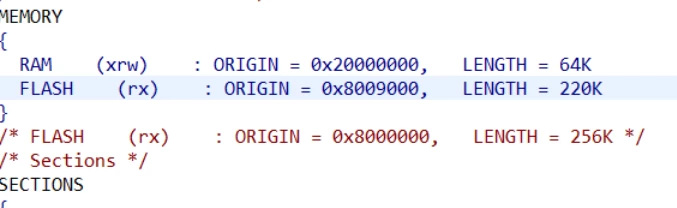
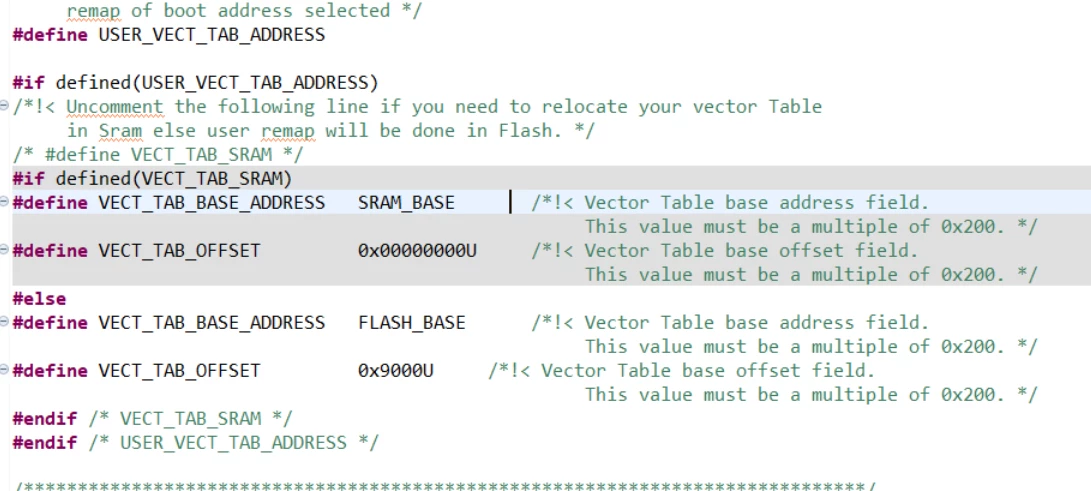
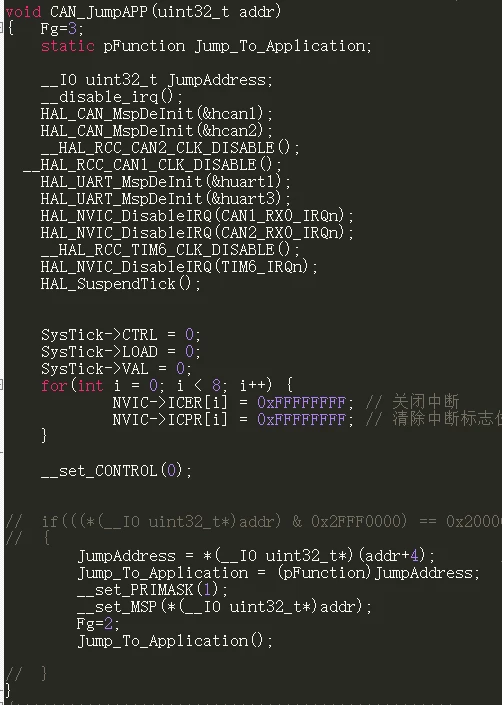
I modified the APPflash address in CUBEIDE, and generated the bin file through the IDE, but when I jumped to the APP program through my own Bootloader, the jump was not successful. There is no problem with the Bootloader program, which is already in other MCU programs. I tried it, I don't know if there is something wrong with my IDE settings0693W00000WHlIYQA1.png0693W00000WHlJHQA1.png0693W00000WHlJ2QAL.png
This topic has been closed for replies.

2 replies

Niupitang
NiupitangAuthor
Associate II
November 8, 2022

​If I directly use STLink to download the program to the MCU, I can normally run the APP from the set address, but I can't jump from BOOT.

MM..1
Chief III
November 8, 2022

Toggle some GPIO for example with led , for handle where code is after jump.

Niupitang
NiupitangAuthor
Associate II
November 9, 2022

Another program of mine, using the APP start address set by the keil magic wand, can jump to the APP normally. I don’t quite understand the difference between setting the APP start address in the IDE and Keil, and whether there are other settings that need to be set. where, my CUBEIDE version is V1.10.1

Javier1
Principal
November 9, 2022

Are you deinitializing every important perpiheral before trying to jump to another APP space?

If youre still having issues with the vector table offset, maybe try this

https://community.st.com/s/question/0D53W00000trgpiSAA/how-to-boot-to-random-address-without-vecttaboffset-stm32f072

hit me up in https://www.linkedin.com/in/javiermuñoz/
Niupitang
NiupitangAuthor
Associate II
November 9, 2022

​The problem has been solved. The .s startup file of Boot is inconsistent with the .s startup file of the APP. I did not expect this kind of problem to occur.

Javier1
Principal
November 9, 2022

good one

hit me up in https://www.linkedin.com/in/javiermuñoz/