
CDew.1
Associate III
March 10, 2020
Solved

How do I enable FreeRTOS debugging support in CubeIDE?

  • March 10, 2020
  • 1 reply
  • 1379 views

I've just started my first FreeRTOS-based project.

In the debugger, when I pause execution, all I see is this stack trace:

Thread #1 [main] 1 [core: 0] (suspended : Signal : 0:Signal 0)
 prvCheckTasksWaitingTermination() at tasks.c:2,488 0x800b4f4
 prvIdleTask() at tasks.c:3,235 0x800b404
 pxPortInitialiseStack() at port.c:214 0x00ba94

In order to be able to develop a FreeRTOS-based project, I need to be able to see the whole program, not just the currently suspended thread.

Is there a way, in CubeIDE, of turning on FreeRTOS debugging features such as those present in Atollic or Kinetis Design Studio?

http://blog.atollic.com/how-to-debug-freertos-projects-on-arm-cortex-m-devices

https://mcuoneclipse.com/2017/03/18/better-freertos-debugging-in-eclipse/
This topic has been closed for replies.
Best answer by WGend.15

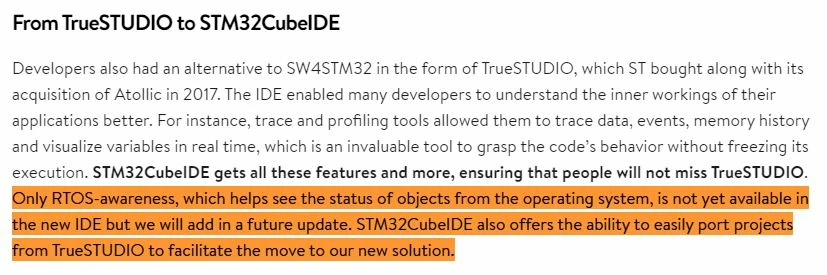
CubeIDE does not yet support the freeRTOS eclipse plugins. I think some persons have been able with third party plugins but not sure which ones.

0693W000000TXbDQAW.jpg

source :

https://blog.st.com/stm32cubeide-free-ide/

If you need freeRTOS plugins you better stay with TrueStudio for now.

1 reply

WGend.15
WGend.15Answer
Associate II
March 10, 2020

CubeIDE does not yet support the freeRTOS eclipse plugins. I think some persons have been able with third party plugins but not sure which ones.

0693W000000TXbDQAW.jpg

source :

https://blog.st.com/stm32cubeide-free-ide/

If you need freeRTOS plugins you better stay with TrueStudio for now.

CDew.1
CDew.1Author
Associate III
March 10, 2020

Thanks, I've successfully installed https://www.highintegritysystems.com/down-loads/stateviewer-plug-in/ into CubeMX 1.2.1, which provides panels for tasks, queues and timers, but not semaphores.

I assume the only way of seeing the other tasks' stacks/variables is to set a breakpoint in those tasks.