
hsanr.1
Associate II
December 27, 2022
Solved

How to debug mbed cpp program and make values visible

  • December 27, 2022
  • 1 reply
  • 1982 views

Hello. 

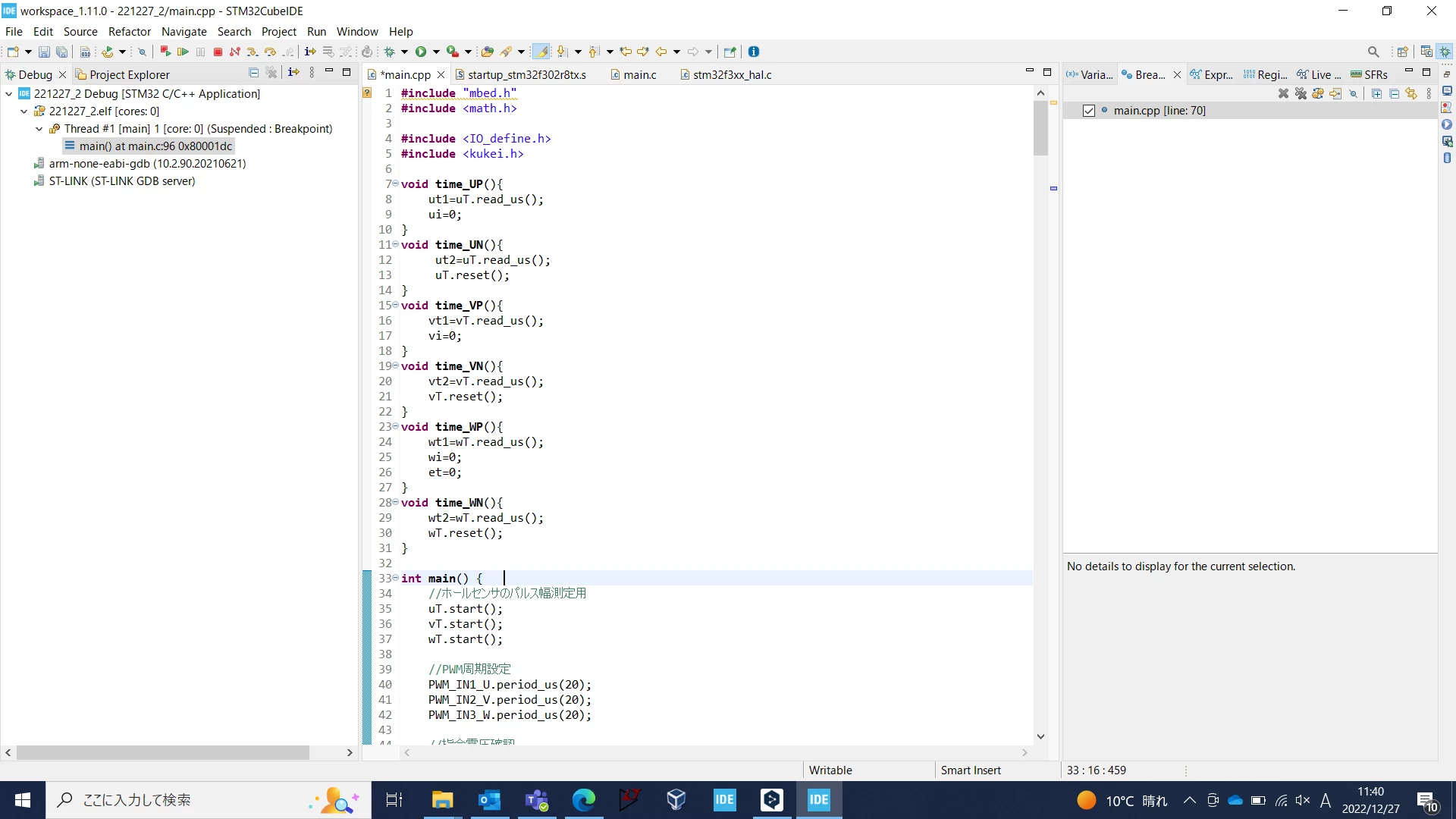
I am currently debugging an mbed cpp program in cubeIDE and trying to visualize the contents of variables. I was able to import from mbed to cubeIDE on my own. When I place a breakpoint on the variable I want to know about, I get the result [No details to display for the current selection]. The breakpoint is enabled on the main.c that comes up when debugging. My final goal is to make the values visible by placing breakpoints on the imported main.cpp.

The program I am using is called Nucleo_Hall_rect_sin_vector on mbedonline.

I am new to cubeIDE, so I would appreciate it if you could help me understand.

Relevant images are attached below.
0693W00000Y6tYgQAJ.png

This topic has been closed for replies.
Best answer by Pavel A.

Confused? Breakpoints cannot be placed on variables, they can be set on code lines or functions.

When the debugger stops on a breakpoint, local variables can be seen in Variables view.

It is missing on your screenshot, you can show it via Window->Show View->Variables.

There's also the Expressions view.

CubeIDE user guide is available via Help->Information center.

1 reply

Pavel A.
Pavel A.Answer
Super User
December 27, 2022

Confused? Breakpoints cannot be placed on variables, they can be set on code lines or functions.

When the debugger stops on a breakpoint, local variables can be seen in Variables view.

It is missing on your screenshot, you can show it via Window->Show View->Variables.

There's also the Expressions view.

CubeIDE user guide is available via Help->Information center.

hsanr.1
hsanr.1Author
Associate II
December 27, 2022

Thank you very much.

I see that breakpoint cannot be set to a variable. This is the first time I know this. I will look at the user guide and try it.