
HNguy.25
Associate III
September 1, 2022
Solved

How to update Includes directory
  • September 1, 2022
  • 3 replies
  • 2182 views

0693W00000SuKQ3QAN.jpgHello everyone,

I have a question about how to update Includes folder in a downloaded example from STM32 CubeMX.

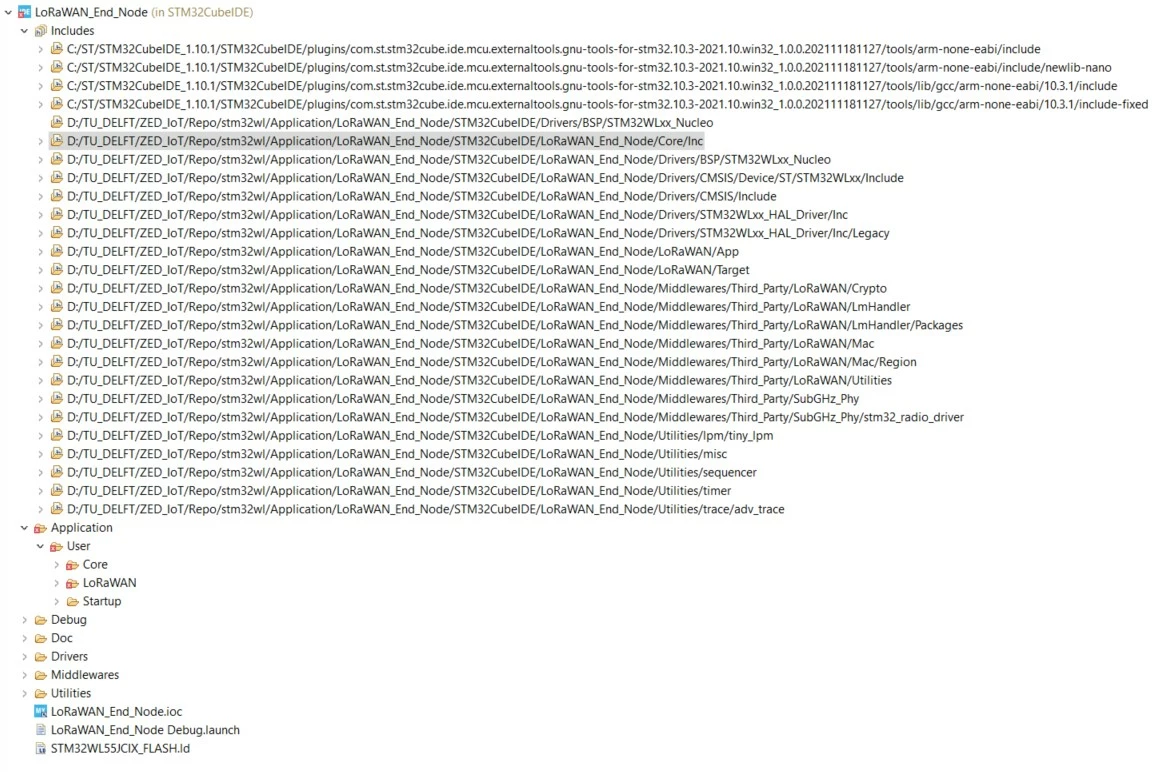
Currently, I am working with LoRaWAN_End_Node example downloaded from STM32 CubeMX for the board Nucleo-WL55JC1. Based on that example, I want to add some of my files (both header and source files).

I want to ask how do I update Includes folder when I put new header files in the Inc directory (Inc is not shown in the Project Explorer tab).

I hope to have help from people in the community.

Thank you, Huy Nguyen.

This topic has been closed for replies.
Best answer by HNguy.25

Hello Semer,

My apologies for replying this late. I solved my issue already. It turned out that I looked at the wrong directory. That was why I could not see my newly created files.

Thank you very much,

Huy Nguyen.

3 replies

HNguy.25
HNguy.25Author
Associate III
September 1, 2022

I added the header files to the Inc directory already but the Includes in STM32CubeIDE has not been updated yet (I dont know how to do it).

Semer CHERNI
ST Employee
September 5, 2022

Hello @Community member​ 

In this case I would propose the following

  • Add a folder under the project in CubeIDE and name it as you want (for example "Includes")
  • Right click on that folder and click on the "Add/Remove Include Path..." option"

0693W00000SuVUVQA3.png

  • Add your header files under that folder

Kind regards,

Semer.

To give better visibility on the answered topics, please click on Accept as Solution on the reply which solved your issue or answered your question.
HNguy.25
HNguy.25AuthorAnswer
Associate III
September 7, 2022

Hello Semer,

My apologies for replying this late. I solved my issue already. It turned out that I looked at the wrong directory. That was why I could not see my newly created files.

Thank you very much,

Huy Nguyen.