
Knut_Knusper
Associate II
May 7, 2019
Solved

Rebuild Button?

  • May 7, 2019
  • 2 replies
  • 2336 views

Will there be a Rebuild Button in the future like in TrueStudio?

This topic has been closed for replies.
Best answer by Markus GIRDLAND

Perhaps you could try to bind "Build Clean" to some easy shortcut for you to use? You would need to have the correct project selected (or have all unrelated projects closed).
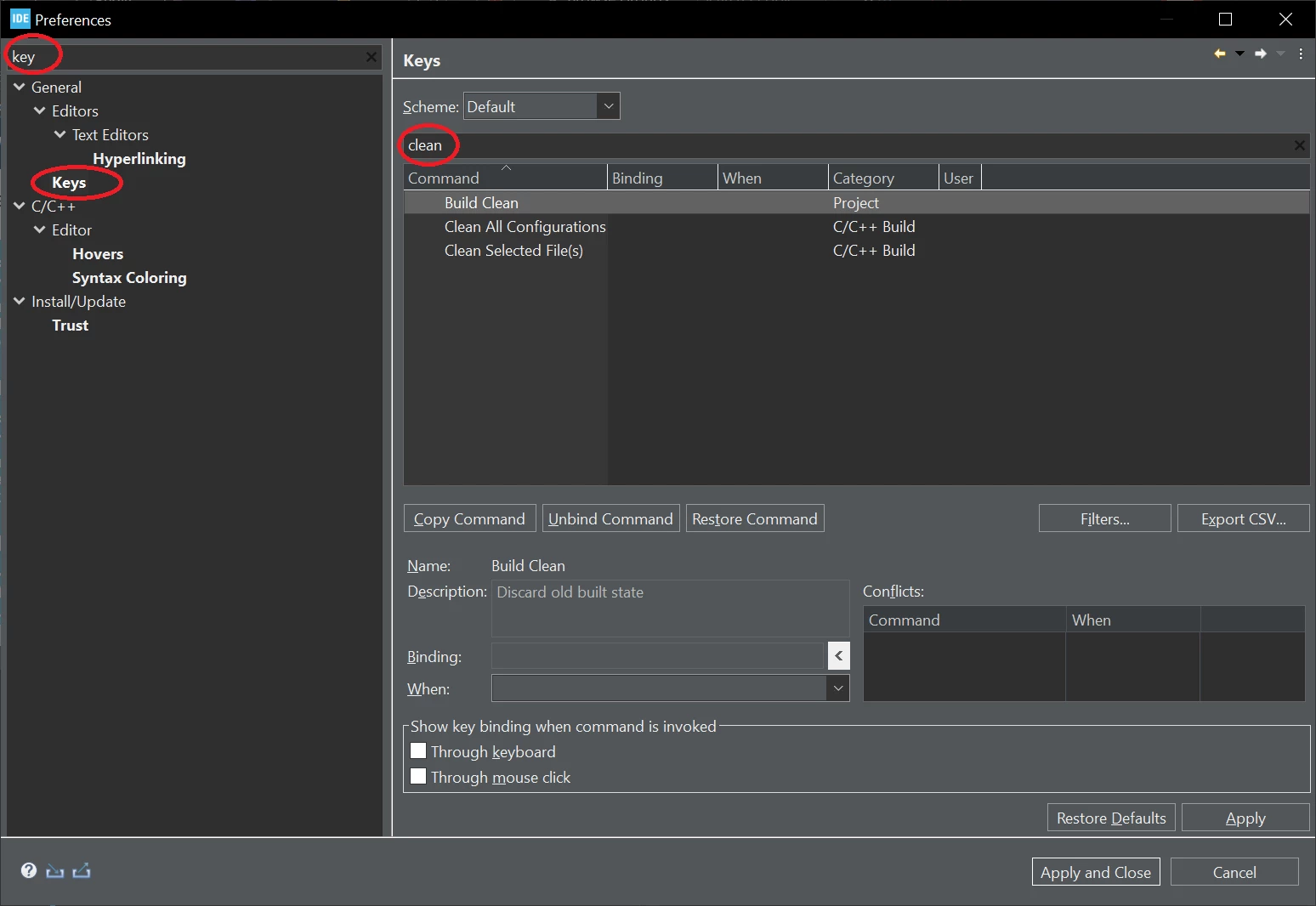
0693W00000QKw2dQAD.png

2 replies

Markus GIRDLAND
ST Employee
May 8, 2019

It was put aside for the initial release but me and a few colleagues are still fighting to get it back ;)

I would expect it to be implemented but I don't want to promise anything, I haven't been in all the toolbar meetings.

Knut_Knusper
Associate II
July 12, 2022

Is there any news on this?

Maybe there is a simple way to replace this button with a script or something similar?

Markus GIRDLAND
ST Employee
July 12, 2022

You could always right click on the project in the Project Explorer view and select "Clean" and then click the regular build button again for similar results.

Clicking the build button without this first step will continue to make incremental builds.

It seems my prediction 3 years ago was wrong, sorry about that :grinning_face_with_sweat:

Knut_Knusper
Associate II
July 12, 2022

Thanks for your answer.

But that's not a good solution for me because Close_Project and Clean_Project are right next to each other.

And I can't tell you how many times I've clicked the wrong.

0693W00000QKw0rQAD.png