
Question
Setup STM32 Project wizard incorrectly generates C++ target
When I select the following options from the Project Explorer using "New->STM32 Project":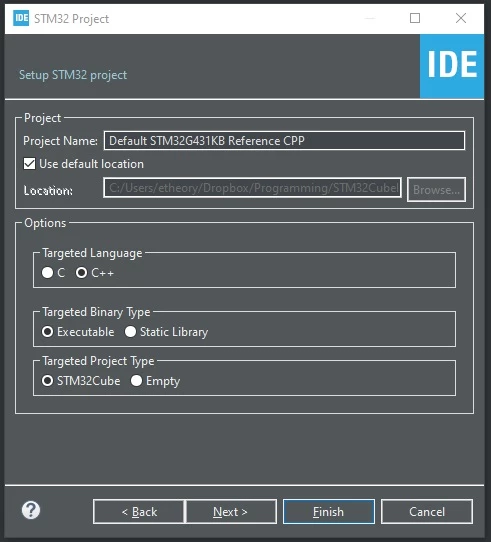
One would expect that the project would be set up as a C++ project, especially considering that the option is presented to the user.
However this is not the case.
Choosing C or C++ produces exactly the same main.c and other files.
This option seems to serve no purpose.
Is there anything else I need to do to have the entire project work as a C++ project, or do I have to continue using the usual 'extern "C"' work-arounds that I'm currently using?