
MGine.806
Associate
November 3, 2019
Question

STM32CubeIDE won't run in MacOS 10.15 Catalina

  • November 3, 2019
  • 6 replies
  • 6132 views

Hi everyone!

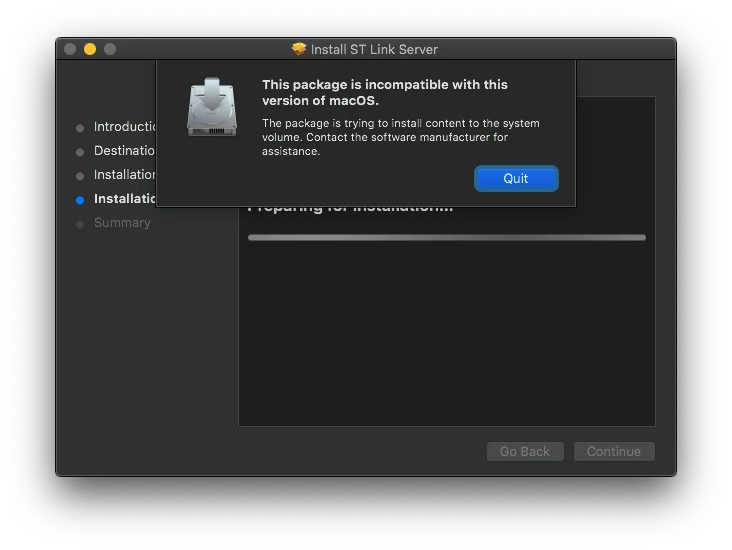
I try to install STM32CubeIDE in my MacBook Air it turns out there is a problem that is caused by macOS Catalina. When I try, it fails with the following error message: "This package is incompatible with this version of macOS. The package is trying to install content to the system volume. Contact the software manufacturer for assistance." (see screen capture)0690X00000ArcT2QAJ.png
Is there a way to solve this problem? Is there a revised version coming soon from ST?

Thank you for your time

Best Regards

This topic has been closed for replies.

6 replies

ATasc.804
Visitor II
November 5, 2019

it can safely be ignored and it is suggested you install openocd. i used homebrew.

from the v1.1 release notes of STM32cubeIDE:

  • The macOS® installer displays incompatible version dialog when installing the stlink-server package. This can safely be ignored.
  •  ST-LINK GDB-server does not work properly with the macOS® version of STM32CubeIDE. The use of OpenOCD or J-Link is required.

The link to the release notes is:

https://www.st.com/content/ccc/resource/technical/document/release_note/group0/9a/72/48/16/ec/bd/44/5a/DM00603738/files/DM00603738.pdf/jcr:content/translations/en.DM00603738.pdf

Search the web how to setup stm32cudeide to use openocd for loading and debugging.

MGine.806
MGine.806Author
Associate
November 5, 2019

Ok, i have installed home-brew. Now the thing is: how do i ignored the warning errore when installing the st-link.pkg file?

There is a specific command line for doing that?

Sorry, but I'm not really into this kind of stuff.

ATasc.804
Visitor II
November 5, 2019

ignore the error in case you ran it.

dont install the ST-Link Server .pkg file at all.

In a terminal run

brew install openocd

MGine.806
MGine.806Author
Associate
November 5, 2019

Ok got it; thank you!

ATulg.1
Associate
January 2, 2020

did you install? pls help me. i installed homebrew and openocd. now what am i doing?

MGine.806
MGine.806Author
Associate
January 2, 2020

Ignore Homebrew and all of that stuff; at the time I reported the problem the version of STM32CubeIDE wasn’t working correctly on MacOS. I don’t know if now they have fixed the problem, but I was able to solve the issue by simply installing the 1.0.2 version of STM32CubeIDE.

Let me know if it worked for you too!

Best Regards

Dsf.1
Visitor II
February 1, 2020

Hey, I have also a mac with catalina and had the same problem.

But I think I have a working solution for us.

If you installed stm32cubeide 1.20 and you cannot starting it cause of an error want the system deleting the prog.

Install an other JRE 8 and start the IDE from the terminal. Go for it into this folder structure: /Application/STM32CudeIDE.app/Contents/MacOS and here execute stm32cubeide and it will starting.

Now I am looking how I can make an other workaround.

cavizzano9
Associate II
April 9, 2020

Hi, I know it is a bit late, but I just installed Catalina. The xattr solution at this link worked for me:

https://apple.stackexchange.com/questions/372084/macos-catalina-app-is-damaged-and-cant-be-opened-you-should-move-it-to-the-t

More specifically I did:

sudo xattr -rd com.apple.quarantine /Applications/STM32CubeIDE.app

to allow gatekeeper ignoring key-sign of this app