PHolt.1
Senior
August 30, 2022
Question

SWV ITM stopped working (2 boards)

  • August 30, 2022
  • 3 replies
  • 1721 views

Hello,

It worked for about a year or two but was found to not work when trying it after some weeks. I have checked the obvious items:

Enabled in Project properties Debug
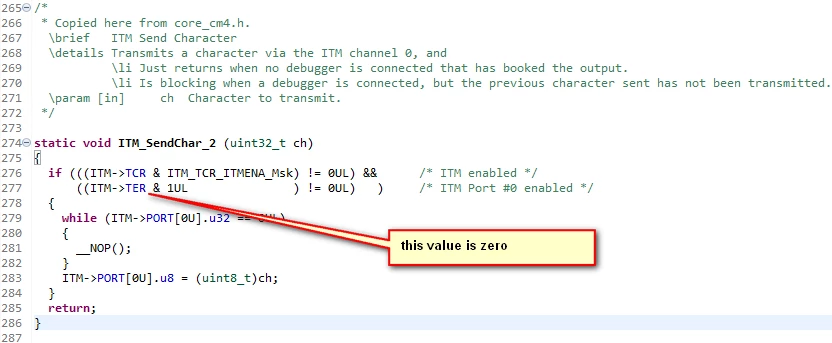
0693W00000Su6FBQAZ.pngI am using the standard code

0693W00000Su6FaQAJ.pngalthough, on a breakpoint there, that value should not be zero, but doing

ITM->TER |= 1;

makes it 1 but does not help.

Then this button needs to be clicked

0693W00000Su6GEQAZ.pngWhat could cause this?

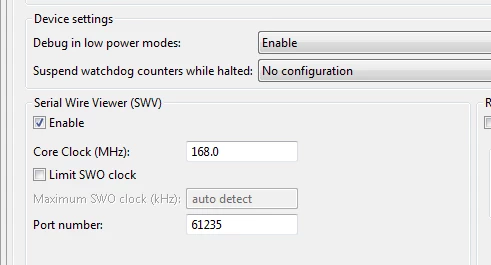
AIUI ticking that box at the top screenshot enables the debug macrocell.

And SWO wire is connected. These connections have never been changed. I have swapped over the debuggers (2 x STLINK V3, ISOL and non ISOL, STLINK V2 which I think doesn't have ITM anyway). Tried different SWV speeds e.g. 1000kHz.

Something else is broken.

I would be grateful for any ideas.

This topic has been closed for replies.

3 replies

Tesla DeLorean
Guru
August 30, 2022

Running at 168 or 180 MHz​?

Try in STM32 Cube Programmer.

Debugger is supposed to set clocking and gearing. Based on knowledge of actual core frequency. ​

Tips, Buy me a coffee, or three.. PayPal VenmoUp vote any posts that you find helpful, it shows what's working..
Pavel A.
Super User
August 30, 2022

Besides of the shown debugger dialog, when the debugger breaks on main(), open the ITM settings (dialog with many checkboxes) and check at least channel 0 (used for prints).

Also enter there the CPU core frequency in MHz, which is established after calling SystemClockConfig().

(so ITM prints will not work before calling SystemClockConfig).

PHolt.1
PHolt.1Author
Senior
August 30, 2022

You guys are brilliant.

I had seen that screen before, a long time ago, but could not find it again this time.

0693W00000Su7PHQAZ.pngHow bit 0 got cleared, I have no idea. Working now!

THANK YOU!